Ever been locked out of your Google account and left scratching your head, wondering why? You’re not alone. Many users experience the dreaded “Google Account Disabled” error, and it can feel like hitting a brick wall. But fear not! Understanding the reasons behind this error and knowing the steps to resolve it can make all the difference.
Imagine your Google account as a digital fortress. Sometimes, that fortress gets locked down due to various reasons. The key is knowing why it happened and how to unlock it. This article will guide you through the maze of account disabling, offering insights and solutions to get you back on track.
So, what does it mean when your Google account is disabled? In simple terms, Google has temporarily restricted access to your account. This usually happens when there’s a breach of their terms or if they detect something fishy. By understanding the common causes, you can avoid potential pitfalls and keep your account secure.
Your Google account might be disabled for several reasons. Let’s break it down into three main categories: policy violations, suspicious activity, and security concerns. Each of these plays a significant role in why your account might be locked.
Google has a set of policies that users need to adhere to. Violating these can lead to account disabling. Common violations include spamming, using the account for illegal activities, or sharing harmful content. To avoid this, familiarize yourself with Google’s policies and ensure your activities are in line with them.
Ever received an alert about unusual activity on your account? This is Google’s way of saying, “Something’s not right.” Suspicious activity can include multiple failed login attempts or accessing your account from unfamiliar locations. To safeguard your account, always use strong passwords and be cautious of phishing scams.
Security is a big deal for Google. If they suspect your account has been compromised, they might disable it to prevent unauthorized access. This can happen if your password is leaked or if there’s a breach in your security settings. Regularly updating your password and enabling two-factor authentication can help mitigate these risks.
Got your account disabled? Don’t panic. There are methods to regain access. The process involves verifying your identity and, if necessary, submitting an appeal to Google. Here’s how you can do it effectively.
To prove ownership of your account, Google may ask you to verify your identity. This could involve answering security questions or confirming your phone number. It’s like showing your ID at the door to get back in.
If verification doesn’t work, you may need to submit an appeal. Provide as much detail as possible about your issue. The more information you give, the easier it is for Google to understand your problem and restore access.
Once you’ve regained access, it’s crucial to prevent future disabling. By enhancing your account security and regularly reviewing your activity, you can ensure your account remains accessible.
Boost your account’s defenses by enabling two-factor authentication. It’s like adding an extra lock to your digital door. This simple step can make a world of difference.
Keep an eye on your account activity. Regularly check for any unusual behavior and address it promptly. Think of it as a routine health check-up for your account.
If you’re ever in doubt, remember that Google offers support options to help you. Whether it’s through their Help Center or direct support, assistance is always available.
The Google Help Center is a treasure trove of information. It’s like having a manual for your account. Use it to find guides and resources tailored to your specific issue.
For personalized assistance, contacting Google Support directly can be a lifesaver. They can provide guidance and help you navigate the recovery process with ease.
Understanding Google Account Disabling
Have you ever tried to log in to your Google account only to be greeted with a message that your account has been disabled? It’s like trying to open a door with a key that suddenly doesn’t fit. Frustrating, right? Understanding why this happens can save you a lot of headaches down the road. So, let’s dive into the nitty-gritty of why Google might disable your account.
First off, it’s important to know that Google doesn’t disable accounts without a reason. They have a set of rules and guidelines that users need to follow. Think of it like the rules of a game. If you break them, there are consequences. These rules are in place to protect not just your account, but the entire Google community. So, if your account gets disabled, it’s usually because of a breach of these rules.
Another common reason for account disabling is suspicious activity. Imagine if someone was trying to sneak into your house. You’d want to lock the doors, right? Google does the same with your account. If they detect any unusual activity, like multiple login attempts from different locations, they might disable your account as a precaution.
Security concerns are also a biggie. In today’s digital age, keeping your information safe is crucial. If Google suspects that your account has been compromised, they might disable it to prevent any unauthorized access. It’s like having a security system that kicks in when it senses danger.
Understanding these reasons can help you avoid getting your account disabled in the first place. It’s all about being aware of the rules and staying vigilant. In the next sections, we’ll explore how to recover a disabled account and prevent it from happening again. Stay tuned!
Common Reasons for Account Disabling
Have you ever been locked out of your Google account and felt like you were trying to break into Fort Knox? You’re not alone. Many users find themselves in this predicament, often bewildered by the sudden loss of access. But fear not, understanding the common reasons behind this issue can be the key to solving it. Let’s dive into the usual culprits.
First off, let’s talk about policy violations. Google has a set of rules that users must follow, and breaking these can lead to your account being disabled. It’s like being caught sneaking snacks into a movie theater; you might get away with it once, but eventually, you’ll face the consequences. These policies are in place to ensure a safe and respectful environment for everyone. Violations can include spamming, sharing inappropriate content, or engaging in fraudulent activities. So, keep it clean and play by the rules to avoid a digital time-out.
Next up, we have suspicious activity. Imagine your account is a house, and Google is the vigilant neighborhood watch. If they notice unusual behavior, like multiple login attempts from different locations, they’ll raise the alarm. This is to protect your account from unauthorized access. To safeguard yourself, always log out from public devices and monitor your account activity regularly. It’s like checking your rearview mirror while driving; you need to be aware of your surroundings to stay safe.
Lastly, let’s discuss security concerns. In today’s digital age, keeping your account secure is more important than ever. A compromised password can lead to a disabled account faster than you can say “oops.” To avoid this, use strong, unique passwords and enable two-factor authentication. Think of it as locking both the front and back doors of your house. It’s an extra layer of security that can make a world of difference.
Understanding these common reasons for account disabling is the first step in preventing it. By adhering to Google’s policies, staying vigilant about account activity, and bolstering your security measures, you can keep your digital life running smoothly. Remember, it’s always better to be proactive than reactive when it comes to your online safety.
Policy Violations
Ever wondered why your Google account suddenly got disabled? It might be due to a policy violation. Google has a set of rules to ensure a safe and respectful environment for everyone. But what exactly are these policies, and how can they affect your account?
Google’s policies are like the rules of a game. If you break them, you might find yourself benched. Common violations include spamming, sharing inappropriate content, or even using your account for illegal activities. These actions can trigger Google’s alarms, leading to your account being disabled faster than you can say “Oops!”
To avoid these pitfalls, it’s crucial to know what you’re up against. Imagine you’re walking a tightrope. One wrong step, and you’re in trouble. That’s why it’s essential to familiarize yourself with Google’s guidelines. You can find them in detail on their official site. But let’s break it down:
- **Spamming:** Sending unsolicited emails or messages can lead to a red flag.
- **Inappropriate Content:** Sharing content that’s offensive or harmful is a no-go.
- **Illegal Activities:** Using your account for anything unlawful will get you in hot water.
Think of these policies as the foundation of a house. Without them, everything falls apart. So, staying informed is your best defense. Regularly review Google’s terms of service. It’s like reading the manual before starting a new gadget. It might not be the most exciting read, but it saves you from unexpected surprises.
In conclusion, policy violations can be a major stumbling block. But with a little awareness and caution, you can keep your account safe and sound. Remember, it’s better to be safe than sorry. So, play by the rules, and you’ll enjoy a seamless Google experience.
Suspicious Activity
Have you ever received an email from Google saying your account has been disabled due to suspicious activity? It’s like getting a surprise pop quiz when you haven’t done your homework. But don’t worry, I’m here to help you understand what this means and how you can prevent it in the future.
First off, let’s talk about what counts as suspicious activity. Imagine your Google account is like your house. You wouldn’t want just anyone walking in, right? Google feels the same way about your account. If they notice unusual behavior, like someone trying to log in from a different country or multiple failed login attempts, they might disable your account to protect you. It’s like having a security system that kicks in when something seems off.
Now, you might be wondering, “Why me?” Well, it’s not personal. Google uses algorithms to detect patterns that don’t match your usual activity. Think of it as a detective piecing together clues. If something doesn’t add up, they take action. This is to ensure your personal information remains safe and sound.
So, how can you keep your account from being flagged for suspicious activity? Here are a few tips:
- **Secure your password:** Make sure it’s strong and unique. Avoid using easily guessable words or numbers.
- **Enable two-factor authentication:** This adds an extra layer of security, like having a double lock on your door.
- **Be cautious with public Wi-Fi:** It’s convenient but can be risky. If you must use it, consider a VPN.
In the digital world, vigilance is your best friend. Regularly check your account activity. If you spot something fishy, change your password immediately. It’s like changing the locks if you lose your keys. By staying alert, you can enjoy the seamless use of Google services without any hiccups.
Security Concerns
When it comes to , it’s like leaving the front door of your house wide open. You wouldn’t do that, right? Well, the same goes for your Google account. If your account is compromised, it can lead to a whole host of problems, including your account being disabled. So, let’s dive into how this happens and what you can do to prevent it.
First off, a compromised password is often the culprit. If someone gets their hands on your password, they can access your account and do all sorts of things that might trigger Google’s security alarms. Think of it like giving a stranger the keys to your house. They could make changes, send emails, or even access sensitive information. To avoid this, always use a strong, unique password for your Google account. And remember, sharing is not caring when it comes to passwords.
Another issue is unrecognized devices. If Google notices a login from a device or location that doesn’t match your usual pattern, it might flag your account for suspicious activity. It’s like when you get a call from your bank asking if you really made that purchase in a different country. To keep your account safe, enable two-factor authentication. This adds an extra layer of security, ensuring that even if someone has your password, they can’t get in without your phone.
Phishing attacks are also a significant threat. These are sneaky attempts to steal your login information by pretending to be someone you trust, like Google itself. It’s like a wolf in sheep’s clothing. Always double-check the URL of any site asking for your login details. If it doesn’t look right, it probably isn’t. Stay vigilant, and don’t fall for these traps.
Lastly, keep an eye on your account activity. Regularly reviewing your account’s login history can help you spot any unusual activity early. It’s like checking your rearview mirror while driving. You need to be aware of what’s happening around you. If you notice anything suspicious, change your password immediately and report the activity to Google.
By understanding these security concerns, you can take proactive steps to protect your Google account. It’s all about being cautious and staying informed. Remember, your online security is just as important as locking your doors at night.
Steps to Recover a Disabled Account
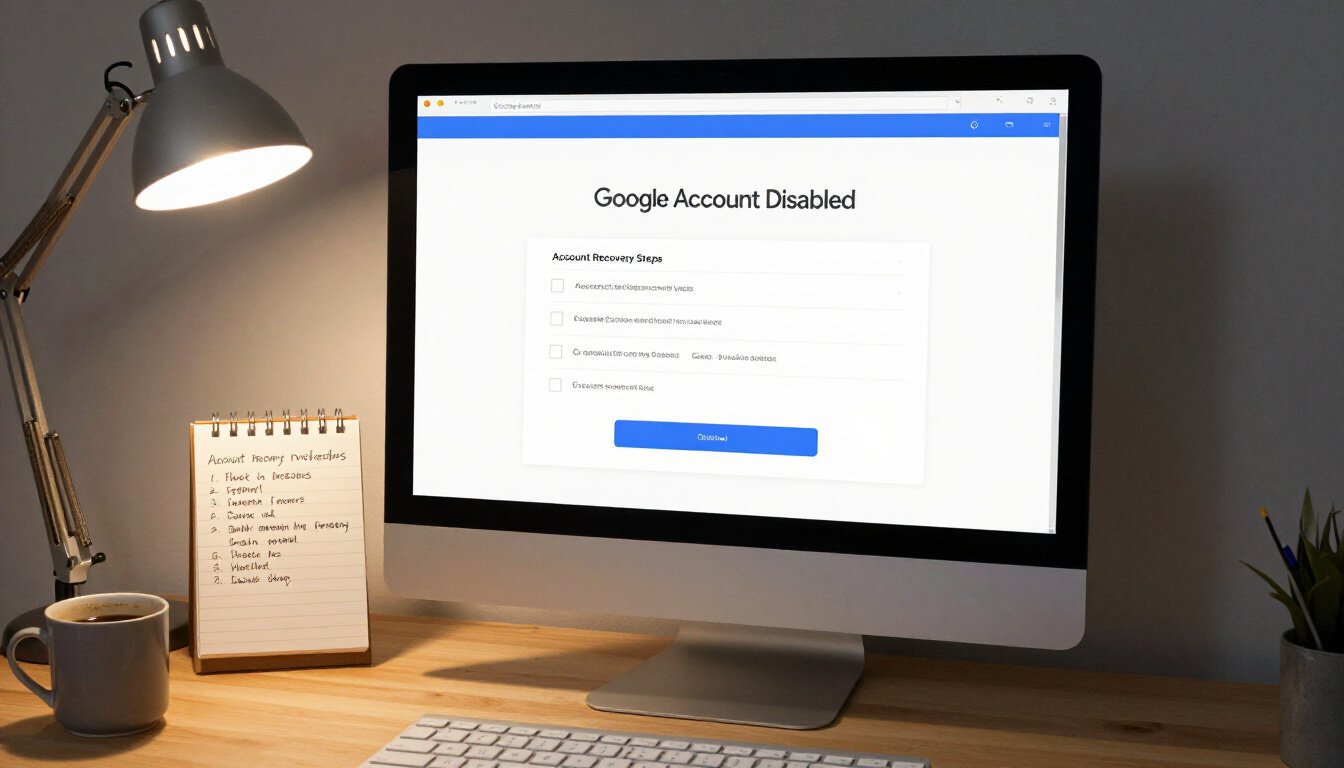
Finding out that your Google account has been disabled can feel like being locked out of your own house. But don’t worry, there are steps you can take to get back in. The process might seem daunting at first, but with a little patience and the right approach, you’ll be back to accessing your favorite Google services in no time. Let’s walk through the steps to recover a disabled account.
First things first, you’ll need to understand why your account was disabled. This is crucial because it will guide you on the best path to recovery. Google usually sends an email explaining the reason for the disabling. If it’s due to a policy violation or suspicious activity, knowing the exact cause will help you address the issue more effectively.
Once you have a clear understanding of the reason, the next step is the verification process. Google needs to ensure that you are indeed the rightful owner of the account. This process may involve answering security questions, providing personal information, or verifying through a linked email or phone number. It’s important to have these details on hand to make the verification process as smooth as possible.
After successfully verifying your identity, you might still need to submit an appeal to Google. This is your chance to explain any misunderstandings or provide additional context regarding the activity that led to the disabling. Be honest and concise in your appeal, and provide any evidence that supports your case. Remember, the goal is to show Google that your account is safe and that you understand their policies.
Here’s a simple table to summarize the key steps:
| Step | Description |
|---|---|
| Understand the Reason | Check the email from Google to know why your account was disabled. |
| Verification Process | Prove account ownership through security questions or linked information. |
| Submit an Appeal | Explain your situation to Google and provide supporting evidence. |
Once you’ve submitted your appeal, it’s a waiting game. Google will review your case and decide whether to reinstate your account. During this time, it’s important to be patient and refrain from submitting multiple appeals as this can delay the process.
Recovering a disabled Google account can be a bit like solving a puzzle. But with the right pieces and a little persistence, you can regain access and continue enjoying the seamless services Google offers. Keep these steps in mind, and you’ll be well on your way to recovery.
Verification Process
So, you’ve found yourself locked out of your Google account. It’s like being locked out of your own house, isn’t it? Don’t worry, though. There’s a structured path to get you back in, and it starts with verifying your identity. Google takes security seriously, so proving ownership is crucial. Let’s dive into the steps you need to follow to regain access.
First things first, head over to the Google Account Recovery page. Here, you’ll be prompted to enter the email address associated with your disabled account. Once you provide this, Google will guide you through a series of questions. These questions are designed to confirm that you’re the rightful owner. Think of it as a digital handshake to prove you’re you.
Now, what kind of questions should you expect? Well, Google might ask for recent passwords you’ve used. Can’t remember? No worries, just give it your best shot. They might also ask about your last login location or devices you’ve used. It’s like piecing together a puzzle of your digital history. If you’ve set up recovery options like a phone number or a secondary email, Google will send a verification code. This code is your golden ticket back into your account.
Here’s a little tip: always keep your recovery information up to date. It’s like having a spare key hidden in a safe place. If you haven’t set this up yet, make it a priority once you’re back in.
In some cases, you might need to provide additional information. This could include answering security questions or even uploading a government-issued ID. Yes, it sounds a bit intense, but it’s all about making sure your account is safe and sound.
Once you’ve successfully verified your identity, you’ll be prompted to create a new password. Make it strong, make it unique. Think of it as building a new fortress around your account. Avoid using common words or phrases. Instead, mix it up with numbers, symbols, and both uppercase and lowercase letters.
Remember, the verification process is there to protect you. It might feel like a hassle, but it’s all in the name of keeping your information secure. So, take a deep breath, follow the steps, and soon enough, you’ll be back in the digital driver’s seat.
Appeal Submission
So, your Google account has been disabled. It’s like being locked out of your own house, right? But don’t worry; there’s a way back in. Submitting an appeal to Google is your ticket to regaining access. The process is straightforward, but it requires a bit of patience and precision. Let’s walk through it together.
First things first, you need to gather all necessary information. Think of this as preparing for a friendly chat with Google. You’ll need to provide details like your account name, the email address associated with it, and any relevant information that can help your case. Keep it simple and to the point. The goal here is to show Google that you are indeed the rightful owner of the account.
Once you have your facts straight, head over to the Google Account Recovery page. This is where the magic happens. Follow the prompts and fill out the form as accurately as possible. Remember, honesty is key. If there were any mistakes or misunderstandings that led to the disabling, acknowledge them. Transparency can go a long way in resolving issues.
After submitting your appeal, it’s time to play the waiting game. Google’s team will review your submission, and this can take a few days. It’s like waiting for a letter in the mail—frustrating, but necessary. During this period, it’s important to keep checking your email for any updates or additional requests from Google. They might need more information to verify your identity, so be ready to respond promptly.
While waiting, you might feel a bit anxious. That’s normal. But remember, patience is a virtue. If your appeal is successful, Google will restore your account, and you’ll be back in action. If not, don’t lose hope. You can always resubmit your appeal with more detailed information or seek further assistance from Google’s support team.
In conclusion, submitting an appeal is like writing a heartfelt letter to a friend who locked you out by mistake. Be clear, be honest, and most importantly, be patient. With the right approach, you’ll likely find yourself back in your digital home sooner than you think.
Preventing Future Account Disabling
Picture this: you’re about to send an important email, but your Google account is suddenly disabled. Frustrating, right? To avoid such nightmares, let’s dive into some proactive steps you can take to keep your account safe and sound. By being vigilant and implementing a few simple strategies, you can ensure uninterrupted access to your Google services.
First off, let’s talk about security. It’s like locking your front door before leaving the house. One of the best ways to fortify your account is by enabling two-factor authentication. This adds an extra layer of security, making it tougher for unauthorized users to gain access. Imagine it as having a super-strong padlock on your digital life.
Next, regularly review your account activity. It’s like checking your bank statements for any suspicious transactions. Google provides a nifty feature where you can monitor login attempts and other activities. If something looks fishy, act fast. Change your password and secure your account before it’s too late.
Speaking of passwords, let’s not forget the importance of a strong one. Avoid using common phrases or birthdays. Instead, think of a password as a complex puzzle that only you can solve. Mix it up with numbers, symbols, and a blend of upper and lower-case letters. And remember, changing your password regularly is like giving your house a new coat of paint—refreshing and protective.
Now, let’s take a moment to appreciate the Google Help Center. It’s like having a trusty guidebook at your fingertips. Familiarize yourself with their resources to stay informed about the latest security practices and updates. Knowledge is power, and staying informed can prevent potential account disabling.
Finally, let’s talk about phishing scams. These are like digital wolves in sheep’s clothing. Always be cautious about the emails or messages you receive. If something seems off, it probably is. Never click on suspicious links and report them to Google. Think of it as being a vigilant guardian of your digital castle.
By following these steps, you’re not just protecting your Google account; you’re safeguarding your digital identity. It’s all about being proactive, staying informed, and keeping your guard up. After all, prevention is better than cure, especially when it comes to your online world.
Enhancing Account Security
Let’s face it, in today’s digital age, keeping your Google account secure is as essential as locking your front door. Imagine your Google account as a vault. A vault that holds your emails, photos, and even your personal documents. You wouldn’t want just anyone to stroll in, right? So, how do we beef up that security?
First off, consider enabling two-factor authentication. It’s like adding an extra lock to your vault. Even if someone gets hold of your password, they still need your phone to get in. It’s a simple step, but it can make a world of difference. Just head to your account settings, and you’ll find the option to set it up. Trust me, it’s worth the few minutes it takes.
Another tip? Keep an eye on your account activity. Think of it like checking your bank statements. Regularly reviewing what devices are accessing your account can help you spot any suspicious activity early. If you see a device you don’t recognize, act fast. Change your password and review your security settings. It’s better to be safe than sorry.
Speaking of passwords, let’s talk about them. Avoid using the same password across multiple sites. It’s like using the same key for your house, car, and office. If one gets compromised, everything does. Use a password manager to keep track of unique passwords for each site. They’re like personal vaults for your keys.
Lastly, stay informed. Google often updates its security features. Make it a habit to check for any new tools or settings that can help protect your account. Knowledge is power, and staying informed is your best defense against potential threats.
Remember, enhancing your account security isn’t just a one-time task. It’s an ongoing process. By taking these steps, you’re not just securing your account; you’re securing your digital life.
Regularly Reviewing Account Activity
Imagine waking up one morning to find your Google account disabled. Panic sets in, right? But what if I told you there’s a simple habit that could prevent this nightmare? Regularly reviewing your account activity is like giving your account a health check-up. It’s a proactive step to ensure everything’s running smoothly.
When you regularly review your account activity, you’re essentially acting like a detective. You’re looking for clues. Anything suspicious. This could be unusual login locations or unexpected changes in your account settings. Think of it as checking your car’s dashboard for warning lights. If something seems off, you can address it before it becomes a bigger problem.
Google provides a handy tool for this purpose called Security Checkup. It’s like having a digital security guard who reports any unusual activity. By accessing your account settings, you can view recent sign-ins, devices that have accessed your account, and other critical information. This tool is your best friend in keeping your account safe.
Now, you might wonder, “How often should I review my account activity?” Well, it’s like watering a plant. Too little, and it wilts; too much, and it drowns. Aim for a monthly check-up. This way, you stay on top of things without becoming obsessed.
To make this process even easier, consider setting reminders. Just like you would for paying bills or attending appointments. This ensures you never forget to perform this crucial task. And remember, if you ever notice anything out of the ordinary, act fast. Change your password and review your security settings immediately.
In conclusion, regularly reviewing your account activity is not just a good practice; it’s essential. It’s like having a security camera for your digital life. So, make it a habit, stay vigilant, and keep your Google account safe from unexpected disabling.
Understanding Google Support Options
Explore the reasons behind a Google account being disabled and discover effective solutions to restore access, ensuring seamless use of Google services.
When you find yourself locked out due to a disabled Google account, it feels like being stranded on a deserted island. But don’t fret! Google offers several support options to help you navigate these choppy waters. Understanding these options is crucial for a swift recovery and ensures you don’t waste time going in circles.
First off, there’s the Google Help Center. It’s like a treasure trove of information. Packed with articles and guides, it addresses a myriad of issues, including account disabling. If you’re someone who likes to figure things out on your own, this is your go-to resource. Simply type your query into the search bar, and you’ll likely find a detailed article that walks you through the solution.
However, if you prefer a more direct approach, contacting Google Support might be your best bet. This option is akin to having a personal guide who knows the terrain inside and out. Google Support offers personalized assistance, helping you tackle your specific issue efficiently. To make the most of this service, ensure you have all relevant details handy, such as any error messages you’ve encountered or steps you’ve already taken to resolve the issue.
For those who are more visually inclined, Google also provides a series of instructional videos that cover common account issues. These videos can be a lifesaver, offering step-by-step visual guidance that makes the process much easier to follow.
It’s worth noting that Google Support is not just for troubleshooting. They offer proactive advice to help you avoid future issues. By understanding and utilizing these support options, you can transform a daunting situation into a manageable one, ensuring your Google account remains a reliable tool in your digital arsenal.
In summary, whether you prefer self-service solutions or personalized assistance, Google Support has you covered. By leveraging these resources effectively, you can ensure your journey back to full account access is as smooth as possible.
Utilizing Google Help Center
When your Google account is disabled, it can feel like being locked out of your own digital home. But don’t worry, the Google Help Center is here to assist you in unraveling this mystery. Think of it as your trusty guide in the labyrinth of account recovery. The Help Center is a treasure trove of information, providing step-by-step guides and solutions tailored to your specific issue.
First off, head over to the Google Help Center website. It’s like a library, but for digital dilemmas. You can simply type your issue into the search bar, and voila, a plethora of articles and guides pop up. These resources cover a wide range of topics, from understanding why your account might have been disabled to the exact steps needed to recover it. It’s like having a map when you’re lost in the woods.
One of the best features of the Help Center is its detailed troubleshooting guides. These guides walk you through potential solutions, almost like having a tech-savvy friend by your side. They provide clear instructions, ensuring you don’t miss any crucial steps in the recovery process. And if you’re someone who learns better visually, there are often helpful videos that demonstrate the process, making it easier to follow along.
Moreover, the Help Center offers a section for frequently asked questions. This is where you’ll find answers to common queries that other users have faced. It’s like having a conversation with fellow users who have been in your shoes. You’ll find tips and tricks that might just be the key to solving your problem.
In some cases, you might need to fill out a form to initiate the recovery process. The Help Center provides links to these forms, ensuring you have everything you need at your fingertips. It’s like having a checklist, making sure you don’t forget any important details. Remember, the more information you provide, the smoother the recovery process will be.
So, next time you find yourself in a pickle with a disabled Google account, remember that the Google Help Center is just a click away. It’s your lifeline, offering guidance and support to help you regain access to your digital world. Dive into the wealth of resources it offers, and you’ll be back on track in no time.
Contacting Google Support
If you’ve ever found yourself locked out of your Google account, you know the feeling. It’s like being shut out of your own digital home. But don’t worry, contacting Google Support is your lifeline. They are like the locksmiths of the internet, ready to help you regain entry. The process might seem daunting at first, but it’s more straightforward than you think.
First things first, you need to visit the Google Support page. Here, you’ll find a wealth of information. It’s like a treasure trove of solutions just waiting to be discovered. You’ll want to navigate to the section that deals specifically with account recovery. This is where the magic happens.
Once you’re on the right page, you’ll see various options to get in touch with Google Support. Typically, you’ll start by filling out a form. Think of it as your SOS signal to Google. Be sure to provide all the necessary details about your issue. The more specific you are, the better. It’s like painting a clear picture of your problem for the support team.
After submitting the form, patience is key. Google Support receives a high volume of requests, so it might take a little time for them to get back to you. In the meantime, you can check the Google Help Center for any updates on your case. It’s like checking the status of your pizza delivery – anticipation mixed with a bit of anxiety.
In cases where the form doesn’t suffice, you might have the option to chat or speak with a support representative. This is where the personal touch comes in. Speaking to a real person can be reassuring, especially when you’re feeling stressed. Just remember to stay calm and explain your situation clearly. It’s like having a conversation with a friend who just happens to work at Google.
Overall, contacting Google Support is a crucial step in resolving account issues. It’s your direct line to getting back into your digital life. So, don’t hesitate to reach out. They’re there to help, and with a little patience and persistence, you’ll be back in your account in no time.
Frequently Asked Questions (The title must be written in English (US))
- Why was my Google account disabled?
Your Google account could be disabled for several reasons, including policy violations, suspicious activity, or security concerns. Google takes these issues seriously to protect users and their information. If you’ve received a notification, it’s essential to review what might have triggered the action.
- How can I recover my disabled Google account?
To recover a disabled Google account, you need to follow a verification process to prove ownership. This involves answering security questions or using recovery information. If you’re stuck, submitting an appeal to Google with detailed information can help expedite the process.
- What should I do if my appeal is denied?
If your appeal is denied, don’t lose hope. Double-check the information you provided and ensure it’s accurate. You may want to submit another appeal or explore other support options, such as contacting Google Support directly for further guidance.
- How can I prevent my Google account from being disabled in the future?
Prevention is key! Make sure to adhere to Google’s policies and enhance your account’s security by enabling two-factor authentication. Regularly review your account activity to catch any suspicious behavior early on.
- What are the best practices for securing my Google account?
Utilize strong, unique passwords and change them regularly. Enable two-factor authentication for an extra layer of protection. Keep your recovery information up to date, and be cautious of phishing attempts that could compromise your account.
- Where can I find more help if I have issues with my Google account?
The Google Help Center is a great resource for guides and solutions tailored to account issues. If you need personalized assistance, reaching out to Google Support directly can provide you with the help you need.