In today’s digital age, safeguarding your online accounts from hackers is more crucial than ever. With cyber threats lurking around every corner, knowing how to protect your personal information is like having an invisible shield. This article dives into essential strategies and tools that will help you keep those pesky cybercriminals at bay. So, buckle up and let’s embark on this digital security journey together!
First things first, let’s talk about the risks. The internet can be a wonderful place, but it’s also a playground for hackers. From phishing attacks to data breaches, the threats are real. Ever received an email that seemed a little off? That’s a phishing attempt in disguise. Hackers are like digital pickpockets, waiting for that one moment of weakness. And weak passwords? They’re like leaving your front door wide open. Understanding these risks is the first step towards fortifying your online presence.
Let’s face it, creating strong passwords isn’t the most exciting task. But it’s essential. Imagine your password as the key to your digital kingdom. You wouldn’t use a flimsy key for your house, would you? Strong, unique passwords are your first line of defense. Mix letters, numbers, and symbols. Avoid using obvious choices like “123456” or “password.” And remember, each account deserves its own special key. Trust me, it’s worth the effort.
Feeling overwhelmed by the thought of managing all those passwords? Enter password managers. These nifty tools are like your personal digital vault. They store and generate complex passwords, so you don’t have to remember them all. Think of it as having a master key that unlocks all your accounts securely. Let’s explore why they’re a game-changer.
Why bother with a password manager? For starters, they offer convenience. You won’t have to scribble down passwords on sticky notes anymore. Plus, they enhance security by generating strong, random passwords. It’s like having a personal bodyguard for your accounts. And guess what? They can even alert you if your passwords have been compromised. It’s peace of mind in a digital world.
Not all password managers are created equal. When selecting one, consider features like security, ease of use, and compatibility with your devices. Look for managers with strong encryption and a user-friendly interface. It’s like shopping for a car—you want something reliable and easy to drive. Do your research, read reviews, and choose wisely.
Ever heard of two-factor authentication, or 2FA? It’s like adding a second lock to your door. Even if someone gets hold of your password, they’ll need a second piece of information to access your account. Whether it’s a text message code or an app notification, 2FA adds an extra layer of protection. It’s a small step that makes a big difference in keeping hackers at bay.
Phishing attempts are like wolves in sheep’s clothing. They disguise themselves as legitimate communications to trick you into revealing sensitive information. Recognizing these attempts is crucial. Be wary of emails or messages asking for personal details. Look out for suspicious links or attachments. Trust your instincts—if something feels off, it probably is.
Hackers are crafty, using various techniques to lure you in. They might send emails that mimic your bank or a well-known company. Always check the sender’s email address and the website’s URL. If it looks fishy, steer clear. Some phishing attempts even create a sense of urgency, urging you to act quickly. Remember, taking a moment to verify can save you from a world of trouble.
Understanding the Risks
In today’s digital age, our lives are intertwined with the internet. We shop, socialize, and even work online. But with this convenience comes a lurking danger. **Hackers**. They’re like digital pickpockets lurking in the shadows, waiting for the perfect opportunity to strike. Understanding the risks they pose is the first step in safeguarding your online accounts.
One of the most common threats is phishing attacks. Imagine receiving an email that looks just like it’s from your bank. It even has the official logo and everything. But, it’s a trap! Hackers use these deceptive emails to trick you into revealing your personal information. If you’re not careful, you might hand over your passwords without even realizing it.
Another major risk is the use of weak passwords. Think of your password as the key to your digital home. If it’s too simple, like “123456” or “password,” it’s like leaving your door wide open for intruders. Hackers use automated tools to guess these weak passwords in seconds. It’s crucial to create strong, unique passwords for each of your accounts.
Then there are data breaches. You’ve probably heard about them in the news. Large companies get hacked, and suddenly, millions of users’ data is exposed. It’s like a massive digital heist. When this happens, your personal information, including passwords, can end up in the wrong hands. This is why it’s essential to stay informed about breaches and change your passwords regularly.
Hackers are always on the lookout for vulnerabilities to exploit. They are like digital detectives, constantly searching for new ways to break into accounts. To protect yourself, you need to think like them. Be aware of the risks and take proactive steps to secure your online presence. Remember, in the digital world, being cautious is your best defense.
Creating Strong Passwords
In today’s digital age, where every click and keystroke can echo across the vast expanse of the internet, creating strong passwords is not just a suggestion—it’s a necessity. Imagine your password as the key to your digital house. Would you want a flimsy key that anyone could duplicate? Of course not! You’d want a sturdy, unique key that only you possess. That’s exactly what a strong password is—a robust defense against those lurking in the shadows of cyberspace.
So, what makes a password strong? It’s a blend of length, complexity, and unpredictability. A password should be at least 12 characters long. Why? Because longer passwords are exponentially harder to crack. Think of it as adding more locks to your door. But length alone isn’t enough. You need a mix of uppercase and lowercase letters, numbers, and symbols. This variety makes it a puzzle that’s hard to solve.
But let’s face it, remembering a jumble of characters like G7!k@9z&4L isn’t easy. That’s where password managers come into play. These tools are like digital vaults, storing all your complex passwords in one secure place. With a password manager, you only need to remember one master password. Just like having a master key for all your locks, it’s both convenient and secure.
Consider this: password managers not only store your passwords but can also generate them. They create long, random strings of characters that are nearly impossible to guess. Here’s a quick comparison of the benefits of using a password manager:
| Feature | Benefit |
|---|---|
| Convenience | Access all passwords with one master password |
| Security | Generates complex passwords automatically |
| Organization | Keeps all passwords in one secure location |
But how do you choose the right password manager? Look for features like strong encryption, user-friendly interfaces, and cross-platform availability. It’s like shopping for a safe—ensure it meets your security needs and is easy to use. Remember, the strongest password is useless if it’s written on a sticky note stuck to your monitor.
In conclusion, creating strong passwords is your first line of defense in the digital world. It’s about being proactive, not reactive. By combining length, complexity, and the use of a reliable password manager, you can significantly enhance your online security. So, take a moment today to strengthen your passwords. After all, it’s better to be safe than sorry in the wild west of the internet.
Using Password Managers
Imagine juggling a dozen balls at once. That’s what it’s like trying to remember all your passwords without a password manager. In our digital age, where every online account demands its own unique key, keeping track of them all can be a daunting task. Enter password managers, the unsung heroes of the cyber world. They not only remember your passwords but also create strong, unique ones for you. It’s like having a personal assistant who ensures your digital keys are always secure and accessible.
So, what exactly is a password manager? Think of it as a digital vault. But instead of gold, it stores your passwords. With just one master key (or password), you can unlock this vault and access all your other passwords. This means you only need to remember one password instead of dozens. It simplifies your life while bolstering your security.
Now, you might be wondering, “Isn’t it risky to store all my passwords in one place?” It’s a valid concern. However, password managers use advanced encryption methods to ensure that even if someone tries to break in, they can’t decipher your passwords. It’s like trying to crack a safe with a stethoscope—nearly impossible.
Moreover, password managers offer more than just storage. They can generate complex passwords that are hard to crack. Ever tried coming up with a password that includes uppercase, lowercase, numbers, and symbols? It’s like solving a puzzle. But with a password manager, you can generate these complex keys at the click of a button. It’s that simple.
For those who are always on the go, many password managers come with mobile apps. This means you can access your passwords anytime, anywhere. Whether you’re at home, at work, or sipping coffee at your favorite café, your digital vault is just a tap away.
In conclusion, using a password manager is like having a Swiss Army knife for your online security. It simplifies your life, enhances your security, and gives you peace of mind. So, if you haven’t already, consider adding this tool to your digital toolkit. It’s a small step that can make a big difference in protecting your online accounts.
Benefits of Password Managers
In the ever-evolving digital landscape, safeguarding your online presence is more crucial than ever. One of the unsung heroes in this battle against cyber threats is the password manager. But, why are they so beneficial? Let’s dive into the advantages of using these nifty tools.
First and foremost, password managers offer unparalleled convenience. Imagine a world where you don’t have to remember dozens of complex passwords. Sounds like a dream, right? With a password manager, this dream becomes reality. It securely stores all your passwords, so you only need to remember one master password. This single point of access makes logging into your accounts a breeze.
Beyond convenience, there’s the matter of security. Password managers are designed to generate and store complex passwords that are nearly impossible to crack. This means no more relying on “123456” or “password” as your go-to. Instead, you get a unique and robust password for each account, significantly reducing the risk of unauthorized access.
Another key benefit is the ability to auto-fill login credentials. This feature not only saves time but also minimizes the risk of typing errors that could expose your passwords to prying eyes. Plus, many password managers offer cross-device synchronization, ensuring you have access to your passwords whether you’re on your phone, tablet, or computer.
Let’s not forget about the extra layer of security password managers provide. They often include features like secure password sharing and breach alerts. If a website you use experiences a data breach, your password manager can alert you to change your password immediately, keeping you one step ahead of potential threats.
In a nutshell, password managers are like digital vaults for your credentials. They combine ease of use with enhanced security, making them an essential tool in your cybersecurity arsenal. So, if you’re serious about protecting your online accounts, a password manager is a must-have.
Choosing the Right Password Manager
Picking the right password manager can feel like choosing the perfect pair of shoes. It needs to fit just right and serve its purpose well. But how do you make the right choice? With so many options out there, it can be overwhelming. So, let’s break it down into bite-sized pieces to make it easier for you.
First off, consider the features that matter most to you. Are you looking for a manager that can sync across all your devices? Or perhaps you need one with a built-in password generator? Some managers even offer secure sharing options for families or teams. It’s like picking toppings for your ice cream – personalize it to your taste!
Next, think about security. After all, you wouldn’t want to lock your house with a flimsy lock. Look for password managers that offer end-to-end encryption. This ensures that even if someone intercepts your data, they won’t be able to make sense of it. Also, check for two-factor authentication support. It’s like adding an extra bolt to your door.
Ease of use is another crucial aspect. A password manager should make your life easier, not more complicated. Look for a user-friendly interface that you can navigate without needing a manual. Imagine trying to solve a puzzle when you’re in a hurry – not fun, right?
Finally, consider the cost. Some password managers are free, while others come with a price tag. Free versions might be sufficient for basic needs, but premium versions often offer additional features and better support. It’s like deciding between a regular cup of coffee and a fancy latte. Both will wake you up, but one might just make your morning a little brighter.
Here’s a quick comparison of some popular password managers:
| Password Manager | Key Features | Price |
|---|---|---|
| LastPass | Cross-device sync, password generator, secure notes | Free/Premium |
| 1Password | Travel mode, secure document storage, family sharing | Premium |
| Dashlane | VPN, dark web monitoring, password health score | Free/Premium |
In conclusion, choosing the right password manager is all about finding what fits your needs best. Consider features, security, ease of use, and cost. It’s like finding the perfect recipe – a little bit of this, a pinch of that, and voila, you’ve got a winner!
Two-Factor Authentication
In the digital age, where our lives are intricately woven into the web, securing our online accounts is paramount. One of the most effective ways to bolster this security is through (2FA). But what exactly is it, and why should you care? Imagine your password as the lock on your front door. It’s crucial, but what if you could add an extra layer of protection, like a security guard checking IDs? That’s precisely what 2FA does for your online accounts.
Two-Factor Authentication adds an additional step to the login process, requiring not just a password, but also a second form of identification. This could be a text message sent to your phone, a fingerprint scan, or even a code generated by an authentication app. It’s like having a double lock on your digital door. Even if a hacker manages to get hold of your password, they still can’t get in without that second key.
Why is this important? Well, cybercriminals are always on the lookout for easy targets. Password breaches are common, and once a hacker has your password, they can wreak havoc on your personal and financial life. But with 2FA, you add an extra hurdle for them to jump over. And let’s be honest, hackers are lazy. They prefer easy targets, and 2FA makes you anything but easy.
Implementing 2FA is surprisingly simple. Most major online platforms offer it as an option. You can usually find it in your account settings under “Security” or “Login Options.” Once enabled, you’ll be prompted to choose your second factor. Many people opt for a text message verification, but there are numerous options available. For those who prefer not to rely on their phone, authentication apps like Google Authenticator or Authy can be used. These apps generate a time-sensitive code that you enter along with your password.
Now, you might be thinking, “Isn’t this just an extra hassle?” Sure, it adds a step to your login process, but think of it as a small price to pay for peace of mind. It’s like wearing a seatbelt. It might take a second to buckle up, but it could save your life. In the same way, 2FA could save your digital life from being turned upside down.
In conclusion, Two-Factor Authentication is a vital tool in your online security arsenal. It’s easy to set up, adds a significant layer of protection, and deters hackers looking for low-hanging fruit. So, take a moment to enable 2FA on your accounts. It’s a small step that can make a big difference in keeping your digital world safe and sound.
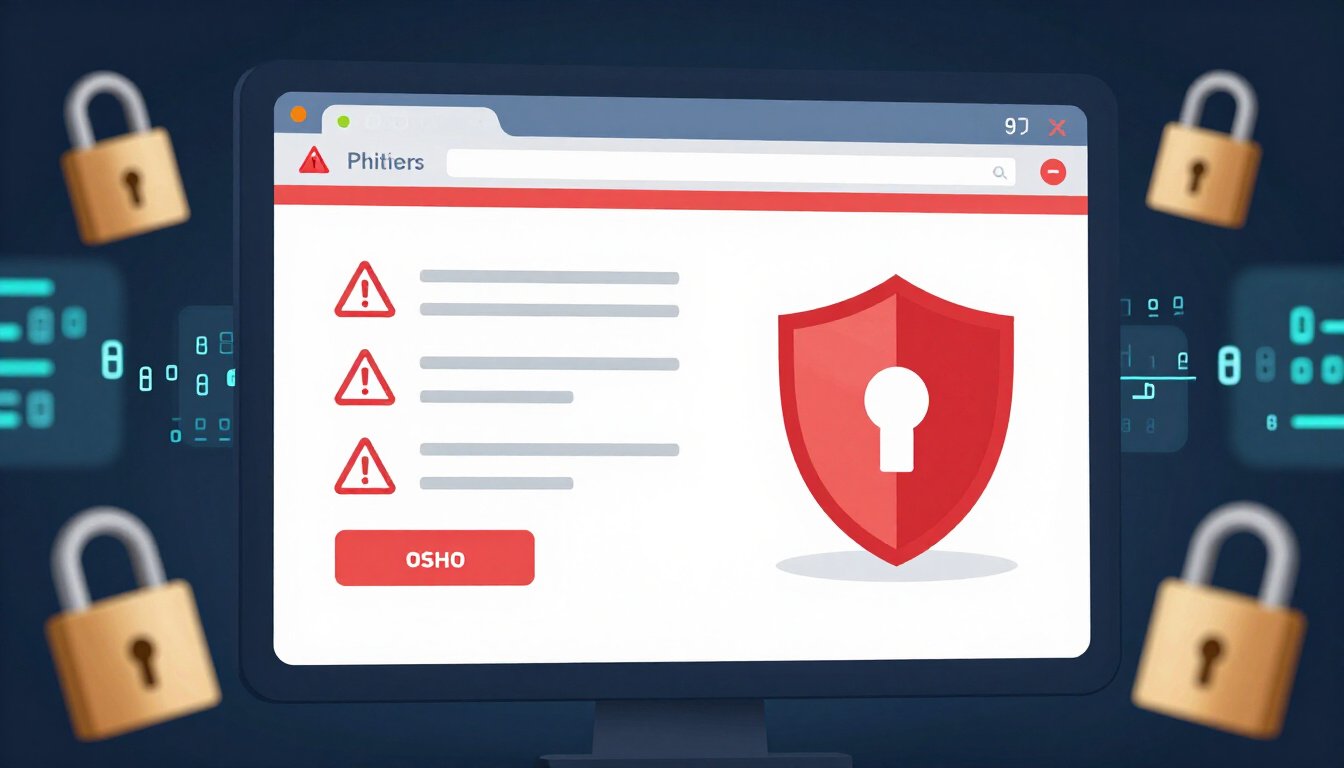
Recognizing Phishing Attempts
In our digital age, phishing attempts are as common as rainy days in April. They sneak into your inbox, disguised as friendly emails or harmless messages, but their intent is anything but benign. Understanding how to recognize these cyber threats is crucial for keeping your personal information safe and sound.
Phishing attempts often come dressed in the costume of legitimacy. They might look like emails from your bank, a popular online store, or even a social media platform. The key here is to be skeptical. If something seems too urgent or too good to be true, it probably is. Hackers use these tactics to lure you into a false sense of security. Once they have your attention, they try to trick you into clicking a malicious link or providing sensitive information.
But how can you tell if an email is a phishing attempt? Start by examining the sender’s email address. Often, these addresses will have slight misspellings or odd domain names. For instance, instead of bankofamerica.com, you might see something like bankofamrica.com. It’s a subtle change, but one that can make all the difference. Always double-check the sender’s email address before clicking on any links or downloading attachments.
Another red flag is the content of the email itself. Phishing emails often contain spelling and grammatical errors. Legitimate companies typically have professional copywriters and editors, so errors can be a sign that something is amiss. Additionally, be wary of emails that create a sense of urgency. Phrases like “Your account will be locked” or “Immediate action required” are designed to make you act without thinking. Take a moment to breathe and assess the situation before responding.
Phishing attempts aren’t limited to emails. They can also appear in text messages and on social media platforms. Be cautious of messages that ask for personal information or direct you to a suspicious website. Always verify the source before providing any information. If you’re unsure, contact the company directly using a phone number or email address from their official website.
To help illustrate the characteristics of phishing attempts, here’s a simple table that outlines some common features:
| Characteristic | Description |
|---|---|
| Suspicious Sender | Check for misspellings or unusual domain names in email addresses. |
| Urgent Language | Beware of language that creates a false sense of urgency. |
| Poor Grammar | Look for spelling and grammatical errors in the message. |
| Unverified Links | Hover over links to see their true destination before clicking. |
In conclusion, recognizing phishing attempts is all about being vigilant. Trust your instincts, verify sources, and never rush into providing personal information. By staying alert, you can keep your online accounts safe from those lurking cyber predators.
Common Phishing Techniques
Ever received an email that seemed a bit off? Maybe it claimed you won a prize or needed to verify your account? These are classic examples of **phishing attempts**, where cybercriminals try to lure you into giving away your personal information. Let’s dive into some of the most common techniques these digital tricksters use.
First up, we have the **deceptive phishing**. This is the most straightforward type. Hackers send emails that appear to be from a legitimate company, like your bank or favorite online store. The email might urge you to click a link to update your account or verify information. But here’s the catch: that link leads to a fake website designed to steal your data. It’s like a wolf in sheep’s clothing, and it can be surprisingly convincing.
Next is **spear phishing**. Unlike broad phishing attempts, spear phishing targets specific individuals or organizations. Hackers do their homework, gathering details about you from social media or other online sources. Then, they craft a tailor-made message just for you. It might reference your job, your boss, or a recent purchase. This level of personalization makes it even harder to spot the scam. It’s like a con artist who knows just enough about you to be dangerous.
Then there’s **whaling**. This technique zeroes in on high-profile targets like executives or managers. The stakes are higher, but so are the potential rewards for the hacker. These emails often look like urgent requests from other executives or legal authorities, playing on the target’s authority and responsibility. It’s as if the hacker is going after the big fish in the sea, hence the name “whaling.”
We also have **clone phishing**, a sneaky tactic where hackers duplicate a legitimate email you’ve received before, but replace any links or attachments with malicious ones. It’s like someone swapping out your favorite candy with a fake that looks identical. The familiarity of the email makes you less suspicious, and that’s exactly what the hacker is counting on.
Lastly, there’s **vishing** (voice phishing) and **smishing** (SMS phishing). These aren’t your typical email scams. Instead, they target you through phone calls and text messages. You might get a call from someone claiming to be from tech support or a text alert about suspicious activity on your account. The urgency and direct contact can make these scams particularly effective. It’s like getting a call from a “trusted” friend, only to find out they’re not who they say they are.
So, how can you protect yourself? Always double-check the sender’s email address and be wary of unsolicited requests for personal information. Hover over links to see where they really lead. And remember, when in doubt, it’s better to be safe than sorry. By staying informed about these common phishing techniques, you can keep your personal information out of the hands of cybercriminals.
Frequently Asked Questions (The title must be written in English (US))
- What are the most common threats to online accounts?
Oh, the digital world can be a bit like the Wild West, can’t it? The most common threats include phishing attacks, where sneaky cybercriminals try to trick you into giving away your personal info. Then there are weak passwords—like leaving your front door wide open—and data breaches that can expose your info to the world. It’s a jungle out there, but knowing these threats is the first step to staying safe!
- How can I create a strong password?
Think of your password as the key to your digital kingdom. A strong password should be long, unique, and a mix of letters, numbers, and symbols. Avoid using easily guessable info like “123456” or “password.” Instead, imagine it as a secret code that only you know. Using a password manager can also help you keep track of these complex passwords without losing your mind!
- Why should I use a password manager?
Imagine having a trusty sidekick that remembers all your passwords for you. That’s what a password manager does! It stores and encrypts your passwords, making it easier and safer to use strong, unique passwords for each account. Plus, many can generate complex passwords for you, so you don’t have to wrack your brain every time you sign up for a new account.
- What is two-factor authentication and why is it important?
Two-factor authentication (2FA) is like having a double lock on your digital door. It adds an extra layer of security by requiring a second form of verification, such as a text message code or an app notification, in addition to your password. This means even if someone gets hold of your password, they can’t access your account without that second factor. It’s a small step that makes a big difference!
- How can I recognize phishing attempts?
Phishing attempts can be sneaky, like a wolf in sheep’s clothing. They often come as emails or messages that look legit but are actually traps. Look for red flags like generic greetings, urgent language, or suspicious links. Always double-check the sender’s email address and never click on links or download attachments from unknown sources. Trust your instincts—if something feels off, it probably is!
- What should I look for in a password manager?
Choosing a password manager is like picking the right tool for a job. You want one that’s secure, easy to use, and fits your needs. Look for features like strong encryption, cross-platform compatibility, and a user-friendly interface. Some even offer extra perks like dark web monitoring or secure sharing. It’s all about finding the right balance between convenience and security for you!









