Ever logged into Instagram and suddenly received a suspicious activity warning? It can be quite alarming, right? But don’t worry, you’re not alone. Instagram’s security system is like a vigilant guard dog, always on the lookout for anything out of the ordinary. This article dives deep into the reasons behind these warnings, how to spot them, and what steps you should take to keep your account safe and sound.
Instagram employs a range of security measures to shield users’ accounts from unauthorized access and suspicious activity. Think of it as a digital fortress, designed to create a safer online environment. These measures are constantly evolving, adapting to new threats like a chameleon changing colors. But what exactly triggers these warnings?
There are several actions that can trip Instagram’s security alarms. Imagine a detective piecing together clues to solve a mystery. Here are some common triggers:
Instagram keeps a close eye on login attempts from unfamiliar locations or devices. Picture someone trying to sneak into a party they weren’t invited to. If you suddenly log in from a different country or a new device, Instagram might flag this as suspicious.
Changing your password too often can also raise eyebrows. It’s like frequently changing the locks on your door—eventually, someone will wonder why. Instagram might issue a warning to ensure everything is on the up and up.
Logging in from devices not previously associated with your account can be a red flag. Imagine someone borrowing your keys without asking. Instagram will prompt you to verify your identity to keep your account secure.
If you receive a suspicious activity warning, don’t panic. Instead, take immediate action to protect your account. Here’s what you should do:
Follow Instagram’s prompts to verify your identity. It’s like showing your ID at the door to prove you belong. This step ensures you’re the rightful owner and keeps intruders out.
Changing your password is crucial. Think of it as changing the combination on a safe. Make sure it’s strong and unique to bolster your account’s defenses.
Take a moment to review your account’s recent activity. It’s like retracing your steps to find where you left your keys. Look for any unfamiliar actions that might have triggered the warning.
Prevention is better than cure, right? Here are some proactive measures to minimize the chances of receiving future warnings:
Two-factor authentication adds an extra layer of protection. It’s like having a second lock on your door. This step makes it harder for anyone to access your account without your permission.
Regularly updating your password with strong, unique combinations is key. It’s like changing your security code periodically to keep intruders guessing.
Be careful when granting access to third-party apps. It’s like letting a stranger into your home. Ensure they are trustworthy to avoid compromising your account security.
If you encounter issues resolving suspicious activity warnings, don’t hesitate to reach out to Instagram support. They are like the tech-savvy friend who always knows what to do. Getting their help can ensure your account remains secure.
Understanding Instagram’s Security Measures
Instagram, like a vigilant guardian, stands watch over your online presence. But have you ever wondered how it keeps your account safe from those sneaky intruders? Well, it’s all about the security measures Instagram has in place. They work tirelessly to ensure that your account remains your own little corner of the internet. Let’s dive into how this social media giant keeps your digital home secure.
First off, Instagram employs a variety of security protocols, much like how a castle is fortified with walls, moats, and guards. These measures are designed to fend off unauthorized access and suspicious activities. The platform is constantly on the lookout for anything that seems out of the ordinary. Think of it as having a digital bouncer who knows your face and won’t let anyone else in without your say-so.
One of the primary tools in Instagram’s security arsenal is its ability to monitor login attempts. Imagine a vigilant watchdog that barks at strangers trying to sneak in through the back door. If Instagram detects a login attempt from an unfamiliar location or device, it raises a red flag. This way, you’re alerted to any potential threats long before they can cause harm.
But that’s not all. Instagram also keeps an eye on how often you change your password. It’s like having a friend who notices when you’re acting out of character. Frequent password changes can be a sign of trouble, prompting Instagram to double-check that everything is okay. It’s a simple yet effective way to ensure your account remains secure.
And let’s not forget about those unrecognized devices. You know, the ones that pop up like uninvited guests at a party. Instagram takes note when a new device tries to access your account and will ask for further verification. It’s like having a doorman who asks for ID before letting anyone through.
In essence, Instagram’s security measures are like a well-oiled machine, constantly working behind the scenes to protect your digital identity. By understanding these measures, you can feel more confident in the safety of your online presence. After all, in the world of social media, it’s always better to be safe than sorry.
What Triggers a Suspicious Activity Warning?
Ever wondered why Instagram suddenly throws a suspicious activity warning your way? It’s like having a smoke detector in your house. You might not see the fire, but it sure does. Instagram’s security measures are designed to alert you when your account is potentially at risk. But what exactly sets off these alarms?
One primary trigger is unusual login attempts. Imagine your account as a locked door. If someone tries to open it with a different key—say from a new location or device—Instagram notices. This could be a hacker trying to sneak in. So, if you get a warning after logging in from a friend’s phone while on vacation, that’s Instagram doing its job.
Another red flag is frequent password changes. Think of it like changing the locks on your door every day. It might seem like a good security measure, but it can also indicate that someone is trying to break in. Instagram sees rapid password changes as suspicious and will alert you to verify if it’s really you making those changes.
Then there are unrecognized devices. Logging in from a device that’s never been used before? Instagram takes note. It’s like having a stranger show up at your door claiming to be you. The platform will prompt you to confirm your identity to ensure that the new device is safe and authorized.
Instagram’s vigilant monitoring is like having a digital watchdog. It may seem annoying to deal with these warnings, but they’re crucial for keeping your account secure. By understanding what triggers these alerts, you can better navigate the platform’s security landscape and keep your account safe from prying eyes.
Unusual Login Attempts
Imagine waking up to a notification from Instagram that makes your heart skip a beat. It’s like finding an unexpected guest in your house. are those surprise visitors. Instagram is constantly on the lookout for any suspicious activity, and logging in from an unfamiliar location or device is a red flag. But why does this happen?
Think of Instagram as a vigilant guard dog. It’s trained to sniff out anything that doesn’t smell right. When you log in from a new device or a different location, Instagram raises an eyebrow. It’s like your account suddenly taking a trip without you. This might happen if you’re traveling or using a new gadget. But sometimes, it could mean someone else is trying to sneak in without your permission.
Now, let’s talk about how Instagram figures this out. It uses a combination of IP addresses and device IDs. If these don’t match your usual pattern, Instagram starts waving the red flag. It’s like your account has a digital fingerprint, and any deviation from the usual pattern is a cause for concern.
So, what should you do if you receive one of these warnings? First, don’t panic. It’s Instagram’s way of keeping you safe. Check if it was you who tried logging in. Maybe you were on vacation or borrowed a friend’s phone. If it wasn’t you, it’s time to act.
To make things clearer, here’s a simple table that breaks down the steps you should take:
| Action | Purpose |
|---|---|
| Check your email for the login attempt details | Identify the location and device used |
| Verify your identity | Confirm that you are the account owner |
| Change your password | Prevent further unauthorized access |
Remember, Instagram’s security measures are there to protect you. By understanding what triggers these warnings and how to respond, you can keep your account safe and sound. So next time you get that notification, you’ll know exactly what to do. Stay vigilant, and let Instagram do its job as your digital watchdog.
Frequent Password Changes
Ever heard the saying, “Too much of a good thing can be bad?” Well, it applies to changing your Instagram password too often. While it might seem like a smart move to keep altering your password, it can actually do more harm than good. Instagram’s security system is like a vigilant watchdog. It’s always on the lookout for unusual behavior. So, if you’re constantly changing your password, it might raise some eyebrows—or in this case, trigger a suspicious activity warning.
Why does this happen? Imagine Instagram as a security guard at a high-end club. If you keep coming back to the entrance with a different disguise, the guard is going to get suspicious. Frequent password changes can look like you’re trying to cover your tracks. Instagram might think, “Hey, is this really the account owner, or is someone trying to sneak in?” It’s all about keeping your account safe from potential threats.
Now, you might be wondering, “How often should I change my password then?” Good question! While there’s no hard and fast rule, a good practice is to update your password every few months. But make sure it’s a strong one. Think of it like changing the locks on your door. You wouldn’t want to do it every week, but once in a while, it’s a good idea to ensure your security isn’t compromised.
Here’s a quick tip: Use a password manager. It can help you keep track of your passwords without the need to change them frequently. This way, you avoid unnecessary alerts from Instagram, and you keep your account secure. It’s like having a trusty sidekick who remembers everything for you.
So, next time you feel the urge to change your password, ask yourself if it’s really necessary. Remember, the goal is to keep your account safe without triggering any alarms. Balance is key. Just like in life, moderation is the secret sauce to keeping your Instagram account secure and free from suspicious activity warnings.
Unrecognized Devices
Have you ever received a notification from Instagram about a login from an unrecognized device? It can be a bit unsettling. Imagine someone sneaking into your house through a window you forgot to lock. That’s what Instagram is trying to prevent with these warnings. When you log in from a device that Instagram doesn’t recognize, it raises a red flag. This is because the platform is designed to protect your account from unauthorized access.
Now, you might wonder, “What exactly qualifies as an unrecognized device?” Well, it’s any device that hasn’t been linked to your account before. For instance, if you usually log in from your phone but suddenly use a friend’s tablet or a public computer, Instagram will notice. It’s like switching from your usual coffee shop to a new one; the barista might double-check your order. Instagram does the same with your login attempts.
But don’t panic! Receiving a warning about an unrecognized device doesn’t mean your account is compromised. It simply means Instagram is being cautious. To ensure everything is fine, you should verify the login attempt. If it was you, confirm it. If not, take immediate action to secure your account. This might involve changing your password or reviewing recent activity.
Here’s a quick tip: to avoid these warnings in the future, try to use the same devices to log in whenever possible. This helps Instagram recognize your usual login patterns. However, if you travel often or use multiple devices, consider enabling two-factor authentication. This adds an extra layer of security, making it harder for anyone to access your account without your permission.
| Device | Action |
|---|---|
| Unrecognized Device | Verify login attempt |
| Recognized Device | No action needed |
Remember, Instagram’s goal is to keep your account safe. So, the next time you get a notification about an unrecognized device, take a moment to review it. It’s like having a security guard for your online presence. And in today’s digital age, that’s a comforting thought.
Steps to Take When You Receive a Warning
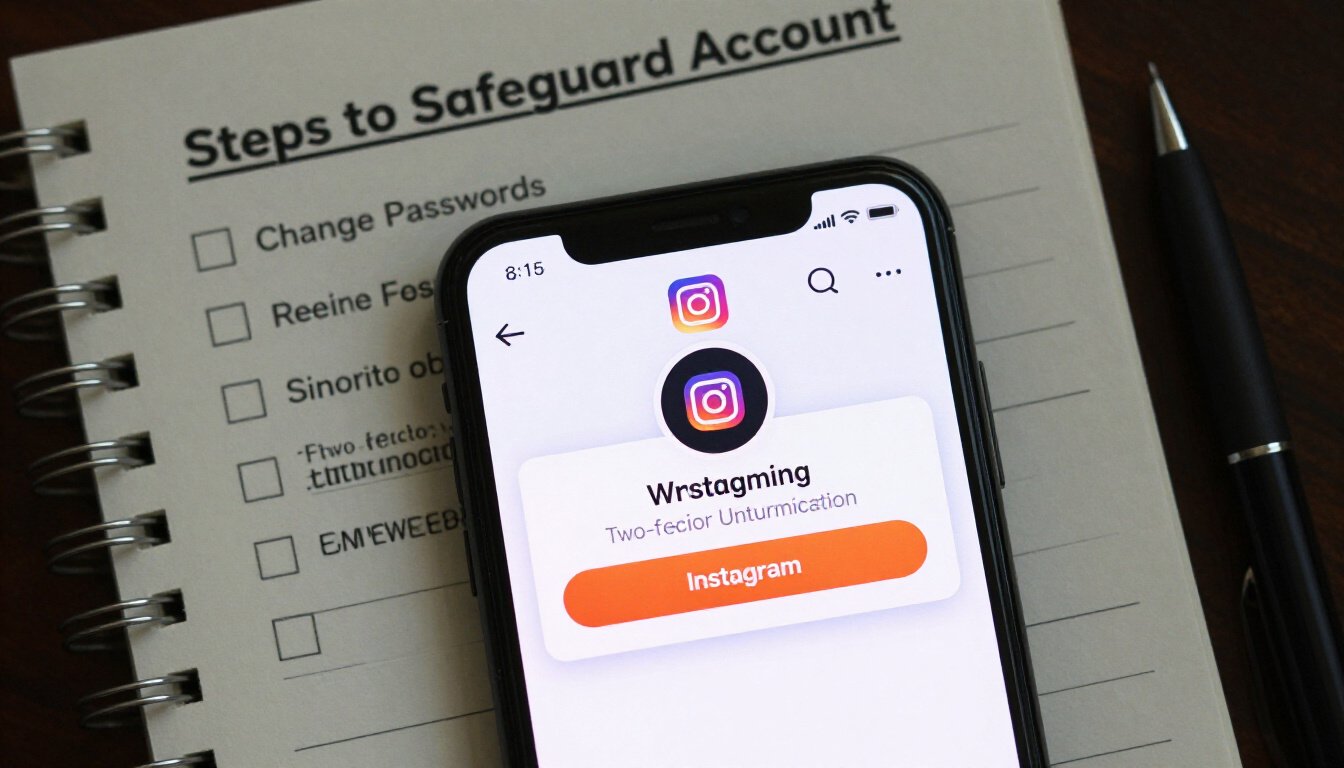
Getting a suspicious activity warning from Instagram can be unsettling. But don’t panic. Think of it as a friendly nudge from Instagram, saying, “Hey, something doesn’t seem right.” So, what’s the first step? Verify your identity. Instagram wants to make sure it’s really you trying to access your account. Follow their prompts. It’s like showing your ID at a club entrance. You want to prove you’re the rightful owner, right?
Next up, change your password. This might seem obvious, but it’s crucial. Imagine your account as a house. If someone tries to break in, you change the locks. Same principle here. Choose a strong, unique password. One that even the most determined hacker would find hard to crack. It’s like putting a deadbolt on your door.
Now, let’s talk about reviewing your account activity. This step is like checking your bank statement for any unauthorized transactions. Look for anything suspicious or unfamiliar. Did someone like a photo you don’t remember liking? Or maybe there’s a comment you didn’t post. These are red flags. Identifying them early can prevent further unauthorized access.
Here’s a little anecdote: A friend of mine once ignored a warning, thinking it was just a glitch. A week later, she found out someone had been posting on her behalf. Don’t let this happen to you. Be proactive. Check your login history. See if there are any devices or locations you don’t recognize. If something seems off, log out of all sessions. It’s like hitting the reset button.
Finally, consider reaching out to Instagram’s support team if you’re still unsure. They’re like the tech-savvy friend we all need. They can provide guidance and help resolve any lingering issues. Remember, it’s better to be safe than sorry. Taking these steps not only secures your account but also gives you peace of mind. And who doesn’t want that?
Verify Your Identity
So, you’ve received a suspicious activity warning from Instagram. It can be a bit unsettling, right? The first step you should take is to verify your identity. This process is crucial because it ensures that you are indeed the rightful owner of the account. Think of it as Instagram asking, “Hey, is it really you?”
When you get such a notification, Instagram will typically provide prompts to guide you through the verification process. These prompts might include confirming your phone number or email address. It’s like when you’re trying to get into a club, and the bouncer asks for your ID. You need to prove you’re not just anyone trying to waltz in.
Now, why is this important? Well, verifying your identity helps Instagram confirm that the account hasn’t fallen into the wrong hands. If someone else is trying to access your account, this step can block them out. It’s like having a virtual security guard checking IDs at the door.
Keep in mind, failing to verify your identity could result in restricted access to your account. You wouldn’t want that, would you? So, if Instagram asks you to verify, don’t delay. Follow the steps promptly. It’s a simple yet effective way to ensure your account remains secure.
And here’s a tip: always make sure the contact information linked to your account is up-to-date. It makes the verification process smoother and quicker. Imagine trying to verify your identity with an old email you no longer use. That would be a hassle, right?
In conclusion, verifying your identity is not just a formality. It’s a vital step in safeguarding your Instagram account. So, when Instagram sends you a prompt, think of it as a friendly reminder to keep your online presence secure. After all, in the digital world, your identity is your most valuable asset.
Change Your Password
Changing your password might seem like a small step, but it’s a crucial one when it comes to safeguarding your Instagram account. Imagine your password as the key to your house. If you suspect someone else might have a copy, would you wait around before changing the locks? Of course not! You’d want to secure your space immediately. Similarly, when Instagram sends you a suspicious activity warning, it’s your cue to act fast.
First things first, make sure your new password is strong and unique. Avoid using obvious choices like “password123” or “yourname2023”. Instead, think of something unpredictable. A combination of uppercase and lowercase letters, numbers, and special characters can do wonders. For instance, try something like “7h!s1sS3cur3”. It might look like gibberish, but that’s the point! The harder it is to guess, the safer your account will be.
Here’s a quick tip: consider using a password manager. These handy tools can generate and store complex passwords for you, so you don’t have to remember them all. It’s like having a digital vault for your online security keys. And remember, never reuse passwords across different sites. If one account gets compromised, others could be at risk too.
Once you’ve crafted your new password, head over to Instagram and update it. It’s a straightforward process. Just navigate to the settings, find the security section, and follow the prompts to change your password. It only takes a few minutes, but the peace of mind it provides is priceless.
In the grand scheme of things, changing your password is a proactive step. It’s about taking control and ensuring that your Instagram account remains yours and yours alone. So, the next time you get that warning, don’t panic. Just remember to change your password, and you’ll be one step closer to keeping your account secure.
Review Account Activity
When you receive a suspicious activity warning on Instagram, it’s crucial to take a moment to **review your account activity**. This step is like peeking behind the curtain to see if there’s something fishy going on. Imagine finding out someone snooped through your diary; you’d want to know what they read, right? Similarly, checking your account activity gives you a glimpse into any unauthorized actions that might have occurred.
Start by navigating to your Instagram settings. Here, you’ll find an option labeled “Login Activity.” This section is your treasure map, guiding you to a list of all the devices that have accessed your account. Keep an eye out for any unfamiliar locations or devices. If you spot something that doesn’t ring a bell, it’s time to take action.
Once you’ve identified any suspicious activity, you should act swiftly. **Log out** of any unrecognized devices. This is like changing the locks on your door after a break-in. It’s a simple yet effective way to ensure no one else can access your account without your knowledge.
While reviewing your account activity, also check for any unusual actions. Look for posts, comments, or messages that you didn’t make. If something seems off, it’s a clear indicator that your account might have been compromised. In such cases, it’s wise to document these findings. Take screenshots or jot down details for future reference, especially if you need to contact Instagram support.
In addition to checking login activity, you might want to review any recent changes to your profile information. Has your bio been altered? Are there new links you didn’t add? These subtle changes can be signs of unauthorized access. It’s like noticing a new painting on your wall that you never bought—definitely worth investigating!
Remember, keeping an eye on your account activity isn’t just about reacting to warnings. Make it a habit to regularly review your account’s actions. This proactive approach is like getting regular check-ups with your doctor—catching potential issues before they become major problems. By staying vigilant, you can ensure your Instagram experience remains safe and enjoyable.
How to Prevent Future Warnings
Instagram’s suspicious activity warnings can be a real headache. But don’t worry, there are ways to keep them at bay. Think of it as setting up a digital fortress. A few simple steps can help you secure your account and minimize those pesky warnings.
First off, consider enabling two-factor authentication. It’s like adding an extra lock to your front door. This feature requires you to verify your identity through a second device or app, making it much harder for anyone to sneak into your account. It’s a small step with a big impact on your security.
Another key step is to regularly update your password. Now, I know what you’re thinking: “Not another password change!” But trust me, it’s worth it. Use strong and unique combinations, mixing letters, numbers, and symbols. This makes it tougher for hackers to crack your code. An updated password is like changing the locks on your house after losing your keys.
Be cautious with third-party apps. They might seem harmless, but granting them access can be risky. It’s like giving a stranger the keys to your house. Always check what permissions you’re giving away. If an app doesn’t seem trustworthy, it’s best to steer clear. This vigilance can prevent unauthorized access and those dreaded warnings.
Here’s a quick recap in table form to help you remember these steps:
| Step | Description |
|---|---|
| Enable Two-Factor Authentication | Adds an extra layer of security by requiring a second form of verification. |
| Regularly Update Password | Use strong, unique combinations to enhance security. |
| Be Cautious with Third-Party Apps | Avoid granting access to suspicious apps to prevent unauthorized entry. |
In the end, it’s all about being proactive. By taking these steps, you’re not just protecting your Instagram account; you’re ensuring peace of mind. Remember, a secure account is a happy account. So, go ahead and fortify your digital presence. Your future self will thank you!
Enable Two-Factor Authentication
Imagine locking your front door with just a twist of a knob. Pretty secure, right? But what if you add a deadbolt? Now, that’s extra security. That’s what two-factor authentication (2FA) does for your Instagram account. It’s like adding a deadbolt to your digital life. When you enable 2FA, Instagram doesn’t just rely on your password. It asks for a second piece of information. This could be a code sent to your phone or an authentication app. It’s like a secret handshake only you know. This extra step makes it much harder for someone to sneak into your account. Why? Because even if someone knows your password, they still can’t get in without that second piece of info.
Setting up 2FA is a breeze. Go to your Instagram settings and look for “Security.” You’ll find the option for two-factor authentication there. Follow the prompts, and voilà, you’re one step closer to a fortress-like account. Remember, in the digital world, it’s always better to be safe than sorry. And trust me, you don’t want to be the person who realizes this after their account has been compromised. So, take a moment, enable 2FA, and give yourself some peace of mind. It’s like having a security guard for your Instagram!
Regularly Update Your Password
Let’s face it. We all have a tendency to become a bit lazy when it comes to updating our passwords. But, just like changing the oil in your car or replacing the batteries in your smoke detector, regularly updating your password is crucial for maintaining the health of your Instagram account. Why, you ask? Well, it’s all about keeping those pesky hackers at bay and ensuring your account remains yours and yours alone.
Think of your password like a key. Over time, keys can get worn out or even lost. Similarly, a password that hasn’t been changed in a while becomes vulnerable. Hackers are like digital locksmiths, always trying to find a way in. By updating your password regularly, you’re essentially changing the locks on your digital doors, making it that much harder for anyone to break in.
Now, you might be wondering, “How often should I change my password?” A good rule of thumb is to update it every three to six months. This might seem frequent, but considering the sensitive information tied to your account, it’s a small price to pay for peace of mind. When you do change it, make sure it’s a strong one. Combine uppercase and lowercase letters, numbers, and special characters. Avoid using easily guessed words or phrases, like ‘password123’ or your birth date.
Here’s a quick example of a strong password: 8n9!fR2@Zk. It’s random, it’s complex, and it’s exactly what you need to keep your account secure. If you’re worried about remembering such a password, consider using a password manager. These handy tools can generate and store complex passwords, so you don’t have to.
Finally, remember that your Instagram account is more than just a collection of photos. It’s a reflection of your personal life, your interests, and your connections. By taking the simple step of regularly updating your password, you’re protecting not just your account, but also your digital identity. So, make it a habit. Set a reminder if you have to. Your future self will thank you for it.
Be Cautious with Third-Party Apps
In the vast world of social media, third-party apps can be both a blessing and a curse. They offer exciting features and conveniences that might seem too good to pass up. But here’s the catch: not all of them have your best interests at heart. Instagram, like many other platforms, can be vulnerable to these external applications. So, how do you navigate this tricky terrain?
First off, it’s crucial to understand what these apps are. Third-party apps are external applications that connect to your Instagram account, often promising to enhance your experience. They might offer analytics, automatic post scheduling, or even the elusive promise of gaining more followers. But, and this is a big but, granting them access means you’re sharing your account information, sometimes without realizing the full extent of what you’re giving away.
Now, let’s get real for a moment. Have you ever clicked ‘Allow’ without reading the fine print? You’re not alone. Many users are so eager to try new features that they skip over the details. Yet, this is where the danger lies. Some third-party apps are designed to collect your data, and in worst-case scenarios, they can compromise your account security, leading to those dreaded suspicious activity warnings.
To help you stay safe, here’s a quick checklist to consider before connecting any app to your Instagram:
- Research the App: Before you dive in, take a moment to look up reviews or any potential red flags about the app. A quick search can save you a lot of trouble.
- Check Permissions: Always check what permissions the app is requesting. If it seems like they’re asking for too much, think twice.
- Use Official Apps: Whenever possible, stick to apps that are officially recognized or recommended by Instagram.
Remember, it’s like inviting someone into your home. You wouldn’t just hand over the keys to a stranger, right? Treat your Instagram account with the same caution. By being vigilant and discerning, you can enjoy all the perks of social media without falling into the traps of malicious third-party apps. Stay safe out there!

Contacting Instagram Support
So, you’ve hit a snag with your Instagram account. Maybe you’ve received a suspicious activity warning that just won’t go away. What do you do next? Well, contacting Instagram support is your go-to move. But let’s be honest, reaching out to Instagram support can sometimes feel like trying to find a needle in a haystack. But don’t worry; we’ve got you covered with some straightforward steps to make the process a bit easier.
First things first, head over to the Instagram Help Center. This should be your starting point. It’s like the library of all things Instagram, where you can find answers to a ton of common issues. Simply type your issue into the search bar, and you might just find a solution without needing to contact support directly.
If the Help Center doesn’t quite cut it, you can report a problem directly through the Instagram app. Here’s how you do it:
- Open the Instagram app and go to your profile.
- Tap on the three horizontal lines in the top right corner to access the menu.
- Navigate to Settings > Help > Report a Problem.
- Follow the prompts to describe your issue. Be as detailed as possible. Think of it like writing a letter to a friend explaining your problem.
Now, if you’re still not getting anywhere, you might consider reaching out through social media. Instagram’s official Twitter account, @Instagram, can sometimes be a good place to get their attention. Just remember to keep your messages concise and polite.
In some cases, you might need to wait a bit for a response. Think of it like waiting for a reply from a friend who’s super busy. Patience is key here. Meanwhile, keep an eye on your account and ensure you’re following all the security measures we discussed earlier.
Finally, if your issue is still unresolved, consider reaching out to Instagram through their Facebook Help Page. Sometimes, a different platform might just do the trick.
Remember, persistence pays off. And while it might feel like a bit of a maze, following these steps can help you get the support you need. Just think of it as navigating through an adventure game, where each step gets you closer to resolving your issue.
Frequently Asked Questions (The title must be written in English (US))
- What should I do if I receive a suspicious activity warning on Instagram?
First things first, don’t panic! Instagram’s warning is like a friendly nudge to check your account’s security. Follow the prompts to verify your identity, change your password, and review recent account activity. It’s like giving your account a security makeover!
- Why does Instagram send suspicious activity warnings?
Think of Instagram as your digital watchdog. It sends these warnings to alert you of any unusual activity, like unfamiliar login attempts or frequent password changes. It’s Instagram’s way of saying, “Hey, something’s fishy here, let’s keep your account safe!”
- How can I prevent future suspicious activity warnings?
Prevention is better than cure, right? Enable two-factor authentication, regularly update your password, and be cautious with third-party apps. These steps are like putting a security fence around your Instagram account.
- What is two-factor authentication and how does it help?
Two-factor authentication is like having a bouncer at your account’s door. It requires a second form of verification, usually a code sent to your phone, making it harder for unauthorized users to get in.
- Can I contact Instagram support if I have issues with suspicious activity warnings?
Absolutely! If you’re feeling stuck, reaching out to Instagram support is like calling in the cavalry. They can assist you in resolving any issues related to suspicious activity warnings.









