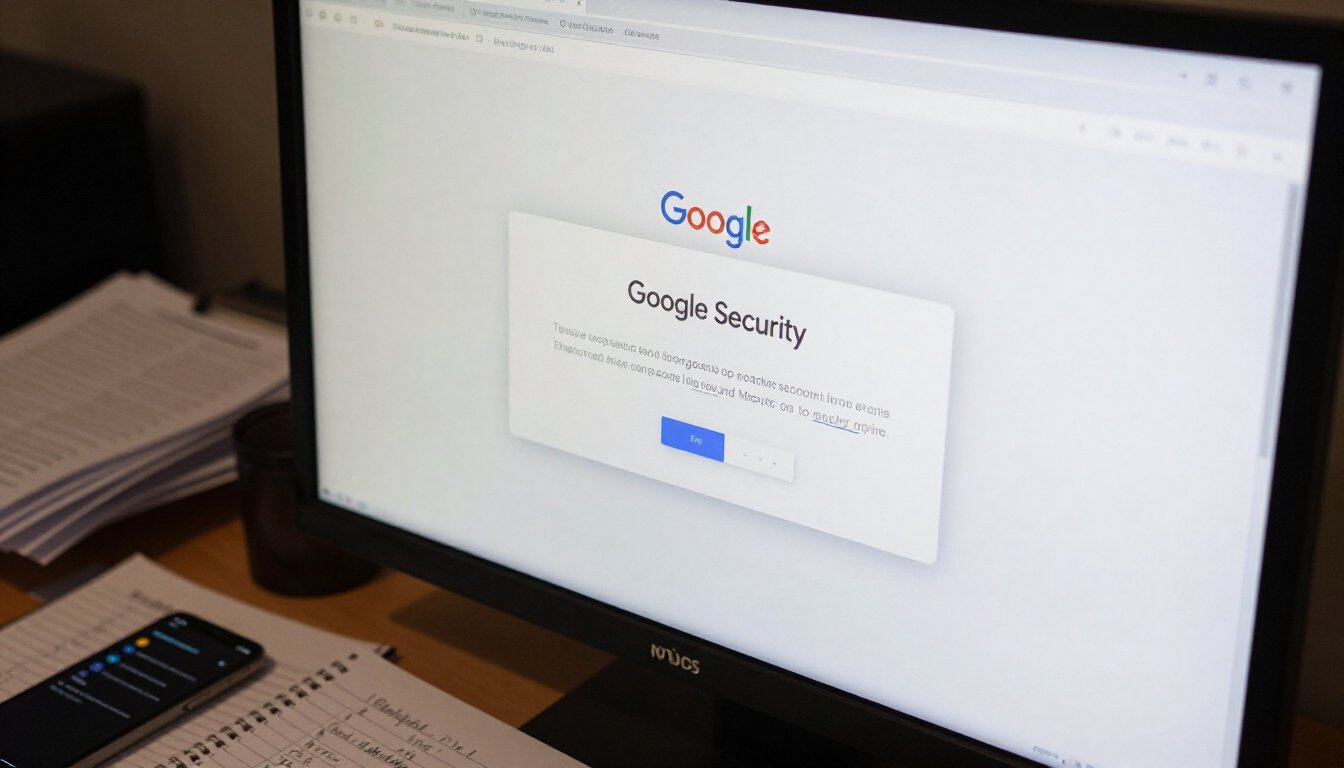
Ever had that moment when you see a notification from Google about suspicious activity on your account? It’s like getting a mysterious letter in the mail. You wonder, “What does this mean?” Well, you’re not alone. Many users find themselves scratching their heads over these alerts. Understanding Google’s security alerts and the actions you should take when you receive a suspicious activity detected notification can be your shield against potential threats. Let’s dive into what this alert really means and how you can protect your account and personal information.
First off, Google is like a digital watchdog. It constantly monitors account activities to keep you safe. When it detects something out of the ordinary, like a login attempt from an unfamiliar location, it raises the red flag. This alert is Google’s way of saying, “Hey, something’s fishy here!” But don’t panic. It’s better to be safe than sorry, right?
Now, why would Google flag your account? There could be a slew of reasons. Maybe you’ve logged in from a new device while on vacation, or perhaps there was a rapid change in your account settings. These activities can trigger an alert. Google’s system uses advanced algorithms to spot these anomalies. It’s like having a security guard at the door, ensuring only the right people get in.
So, what should you do when you get this alert? First, take a deep breath. Then, verify your recent activities. Check if the login attempts or changes were indeed made by you. If not, it’s time to change your password. Think of it as changing the locks on your door. Make sure your new password is strong and unique. Avoid using obvious choices like “password123.”
Remember, Google also offers recovery options if you ever get locked out. You can set up recovery emails or phone numbers. And, for an added layer of security, consider enabling two-factor authentication. It’s like having a security code on top of your key.
Lastly, be aware of phishing attempts. These are sneaky tactics used by cybercriminals to trick you into revealing your personal information. If an email or link looks suspicious, trust your gut and steer clear.
In conclusion, receiving a suspicious activity detected alert might be unnerving, but it’s a crucial part of keeping your account safe. By understanding what these alerts mean and how to respond, you can ensure that your personal information stays protected. Stay vigilant, keep your security measures updated, and you’ll be well-prepared to handle any digital surprises that come your way.
suspicious activity detected
Understanding Google’s security alerts and what actions to take when you receive a suspicious activity detected notification can help protect your account and personal information from potential threats. Picture this: you’re sipping your morning coffee, ready to dive into your emails, and bam! There’s that dreaded message. It’s like finding a surprise guest at your front door. But fear not, because we’re here to unravel this mystery together.
Explore the various reasons why Google might flag an account for suspicious activity, including unusual login locations and rapid password changes. Imagine you’re on vacation in Bali, and suddenly Google’s like, “Hey, why are you logging in from Timbuktu?” It’s all about keeping your account safe. These alerts can pop up due to:
- Accessing your account from a new or unusual location.
- Multiple failed login attempts.
- Frequent password changes in a short period.
Learn about the advanced algorithms and security measures Google employs to identify and flag potentially harmful activity on user accounts. Google’s like a digital detective, using sophisticated algorithms to sniff out anything fishy. It’s like having a watchdog that never sleeps. These algorithms monitor patterns, location changes, and login times to keep your data safe.
Discover the immediate actions you should take to secure your account after receiving a suspicious activity alert from Google. First things first, don’t panic. It’s like getting a smoke alarm warning—time to act, not to freak out. Here’s what you should do:
Understand how to review and confirm recent account activity to ensure your account’s security. Dive into your account’s recent activity like a detective on a mission. Check if there are any logins or actions you don’t recognize. If something seems off, it’s time to take action.
Learn the importance of updating your password and best practices for creating a secure one. Passwords are like keys to your digital kingdom. If you suspect any foul play, change it immediately. Use a mix of letters, numbers, and symbols. Avoid using ‘password123’—that’s like leaving your door wide open.
Gain insights into the different recovery options available if you find yourself locked out of your Google account. It’s like having a spare key hidden under the doormat. Google provides recovery options like backup email and phone numbers. Keep them updated to avoid lockouts.
Explore the benefits of enabling two-factor authentication to add an extra layer of security to your Google account. Think of it as a double lock on your front door. Even if someone gets your password, they’ll need that second factor to get in. It’s a simple yet powerful way to keep the bad guys out.
Identify common signs of phishing attempts and learn how to protect yourself from these malicious tactics. Phishing emails are like wolves in sheep’s clothing. They look legit but are out to steal your info. Always double-check email addresses and never click on suspicious links.
Discover comprehensive strategies to enhance the security of your Google account and personal data. It’s like building a fortress around your digital life. Regular updates, strong passwords, and being cautious with third-party apps can go a long way in keeping your account secure.
Learn how conducting regular security checkups can help maintain your account’s safety and integrity. Think of it as a routine health check for your account. Regularly review your security settings and make necessary adjustments to keep everything in tip-top shape.
Understand the importance of monitoring and managing third-party apps and devices connected to your account. It’s like knowing who has a spare key to your house. Regularly review and remove any apps or devices you no longer use or trust.
Know when it’s necessary to reach out to Google Support for assistance with suspicious activity alerts and account security issues. Sometimes, you just need a helping hand. If you’re ever in doubt, don’t hesitate to contact Google Support for guidance.
Explore real-life examples of suspicious activity alerts and how users successfully resolved these issues. It’s like reading a detective novel with a happy ending. Learn from others’ experiences to better handle your own account security challenges.
Stay informed about emerging trends and technologies in account security to better protect your Google account in the future. The digital landscape is ever-evolving. Keeping an eye on future trends can help you stay one step ahead of potential threats.
notification can help protect your account and personal information from potential threats.
Understanding Google’s security alerts and what actions to take when you receive a suspicious activity detected notification can help protect your account and personal information from potential threats. Imagine this: you’re sitting at your favorite coffee shop, sipping on a latte, when suddenly you receive an alert from Google. Your heart skips a beat. What does it mean? Is your account at risk? Let’s dive into the world of Google’s security alerts and unravel this mystery.
There are several reasons why Google might flag your account for suspicious activity. It could be due to an unusual login location, like when you log in from a different country while on vacation. Or perhaps you’ve been changing your password too frequently. These actions can trigger Google’s security system, which is designed to protect you. Think of it as a digital watchdog, always on the lookout for anything out of the ordinary.
Google uses advanced algorithms and security measures to identify and flag potentially harmful activity. It’s like having a team of digital detectives working round the clock. They analyze patterns, monitor login attempts, and keep an eye on any unusual behavior. It’s all about keeping your data safe and sound.
So, you’ve received an alert. Now what? First things first, don’t panic. It’s crucial to act swiftly. Here’s what you can do:
- Verify your recent activity to ensure it’s you.
- Change your password to something strong and unique.
- Consider setting up two-factor authentication for added security.
Reviewing and confirming your recent account activity is essential. Head over to your Google account and check the activity log. If you spot anything fishy, like logins from unknown devices, take action immediately. It’s like checking your bank statement for unauthorized transactions.
Updating your password is a must. But don’t just settle for any password. Aim for a strong one. Mix uppercase letters, lowercase letters, numbers, and symbols. Think of it as creating a digital fortress. The stronger your password, the harder it is for intruders to break in.
If you ever find yourself locked out of your Google account, don’t worry. Google offers various recovery options. You might need to verify your identity through a phone number or an alternate email. It’s like having a spare key to your digital house.
Two-factor authentication adds an extra layer of security. It’s like having a security guard at your digital door. Even if someone gets hold of your password, they won’t be able to access your account without the second factor, usually a code sent to your phone.
Phishing attempts are sneaky. They often disguise themselves as legitimate emails or messages. Look out for red flags like misspellings, urgent requests for personal information, or unfamiliar email addresses. It’s like spotting a wolf in sheep’s clothing.
To enhance your Google account’s security, consider these strategies:
- Conduct regular security checkups.
- Manage connected apps and devices diligently.
Think of security checkups as routine maintenance for your account. They help you spot vulnerabilities and address them before they become issues. It’s like taking your car for regular servicing.
Keeping an eye on the apps and devices connected to your account is crucial. Revoke access to any that you no longer use or trust. It’s like cleaning out your digital closet.
If you’re ever in doubt or face persistent security issues, don’t hesitate to reach out to Google Support. They’re there to help, like a lifeline in a sea of digital uncertainty.
Explore real-life examples of users who faced suspicious activity alerts and how they successfully resolved these issues. It’s like learning from others’ experiences to better protect yourself.
Stay informed about emerging trends and technologies in account security. By keeping up with the latest developments, you can better protect your Google account in the future. Think of it as staying ahead in a digital chess game.
Common Causes of Suspicious Activity Alerts
Ever wondered why Google sometimes waves a red flag over your account? It’s not just being picky. There are several reasons why you might see a suspicious activity alert pop up. Imagine you’re a detective, and your account is a mystery to solve. Let’s dive into some common culprits behind these alerts.
First off, location, location, location! If Google detects a login attempt from a place you’ve never been, it’s like a red flag waving in the wind. Picture this: you’re snuggled up at home in New York, but suddenly your account shows a login from Tokyo. That’s enough to make anyone’s eyebrows raise. Google’s algorithms are pretty smart, and they know when something doesn’t add up.
Another common cause is rapid-fire password changes. If you’re changing your password more often than you change your socks, Google might start to get suspicious. It’s like a friend who keeps changing their phone number every week – you’d start to wonder what’s going on, right? Google thinks the same way. It’s all about keeping your account safe from those pesky cyber intruders.
Let’s not forget about the unusual activity in your account. If you’re suddenly sending a flurry of emails or downloading heaps of data, Google might think something fishy is going on. It’s like when your quiet neighbor suddenly throws a wild party – it catches your attention. Google’s security measures are designed to catch these anomalies and keep your account secure.
One more thing to keep an eye on is the use of unfamiliar devices. If Google notices a login from a device it doesn’t recognize, it might raise an alert. Think of it as your account’s way of saying, “Hey, who invited this guy?” It’s all about ensuring that only you have access to your personal information.
In summary, Google is like a vigilant guardian, always on the lookout for anything out of the ordinary. Whether it’s unusual login locations, rapid password changes, strange account activity, or unfamiliar devices, these alerts are there to protect you. So next time you see one, take a moment to investigate. It’s better to be safe than sorry!
How Google Detects Suspicious Activity
Picture this: you’re sipping coffee, checking your emails, and suddenly, a Google alert pops up. “Suspicious Activity Detected.” Your heart skips a beat. But how does Google know something fishy is going on? Well, it’s not magic; it’s some pretty smart tech at work. Google employs advanced algorithms and security measures to keep a watchful eye on user accounts. It’s like having a virtual guard dog sniffing out potential threats.
First off, Google tracks unusual login locations. Imagine you’re in New York, but suddenly, there’s a login attempt from Tokyo. That’s a red flag! Google’s systems are designed to catch such anomalies. They compare your usual login patterns with new ones. If something seems off, you get an alert. It’s like Google saying, “Hey, we noticed something strange. Is this you?”
Another factor is rapid password changes. If you change your password multiple times in a short period, Google’s algorithms might raise an eyebrow. Why? Because cybercriminals often do this to lock you out of your own account. Google’s system is like a hawk, always vigilant, ready to swoop in when it senses danger.
But it doesn’t stop there. Google also keeps tabs on unusual device activity. If you’re always logging in from your laptop and suddenly there’s a login from an unfamiliar device, Google’s systems take notice. It’s like having a digital bouncer at the door, making sure only the right people get in.
To make things even more secure, Google uses machine learning. This technology helps the system learn from past incidents and improve its detection methods. It’s like teaching a dog new tricks, only this dog is a tech-savvy genius. The more data it processes, the smarter it gets. So, every time someone tries to sneak in, Google’s system is better prepared to catch them.
In essence, Google’s detection methods are a blend of technology and vigilance. It’s like having a security team working round the clock, ensuring your account is safe. So, next time you get an alert, remember, it’s not just a random message. It’s Google working hard to keep your digital life secure.
Steps to Take When You Receive an Alert
Receiving a suspicious activity alert from Google can be nerve-wracking. But don’t panic. It’s Google’s way of looking out for you. Think of it as a digital watchdog, barking at the slightest hint of trouble. So, what should you do when you hear that bark? First, take a deep breath. Then, dive into action.
Start by checking your email for the alert details. Google usually sends an email outlining the suspicious activity. This email is your roadmap. It tells you what, when, and where something fishy might have happened. If you see a login from a location you’ve never been to, or at a time you were fast asleep, that’s a red flag. But if it was just you trying to log in from a friend’s house, you might just need to confirm it was you.
Next up, head over to your Google Account settings. Here, you can review recent activity. Look for anything that seems off. Unfamiliar devices? Strange locations? They could be signs of a breach. If you spot something suspicious, it’s time to act fast.
Changing your password is crucial. Think of it like changing the locks on your door after losing your keys. Make sure your new password is strong. Use a mix of letters, numbers, and symbols. Avoid obvious choices like “password123” or your pet’s name. And remember, longer is better.
Once your password is updated, consider enabling two-factor authentication if you haven’t already. It’s like adding a second lock to your door. Even if someone gets your password, they’ll still need that extra code to get in. It’s an extra step, but it’s worth it for the peace of mind.
If you find yourself locked out of your account, don’t worry. Google has recovery options to help you regain access. Make sure your recovery email and phone number are up to date. These will be your lifelines if you ever need to reset your password.
Lastly, stay vigilant. Keep an eye out for phishing attempts. These are sneaky ways hackers try to steal your info. If an email or message seems off, trust your gut. Don’t click on suspicious links or provide personal information unless you’re sure it’s safe.
In conclusion, while receiving a suspicious activity alert can be unsettling, it’s also an opportunity to tighten your account’s security. By following these steps, you can ensure your Google account remains secure and your personal information stays safe.

Verifying Recent Activity
Ever felt like someone else was wearing your shoes and walking around in your life? That’s what it feels like when you get a suspicious activity alert from Google. It’s like a wake-up call, telling you to check if everything is alright. So, how do you go about verifying recent activity on your account?
First things first, head over to your Google account page. It’s like your personal command center. Once you’re there, look for the Security section. It’s your gateway to understanding what’s been happening with your account. Think of it as your account’s diary, recording every login, every device, every location.
Within the Security section, you’ll find an option to review your recent activity. This is where the magic happens. You’ll see a list of devices that have accessed your account. It’s like a guestbook, showing you who’s been visiting. Pay attention to the details. Look for anything unusual, like a device you don’t recognize or a location you’ve never been to.
If you spot something fishy, don’t panic. Instead, take a deep breath and think of it as a detective game. Your job is to figure out if it’s a false alarm or if someone’s really trying to sneak into your account. Check the date and time of the suspicious activity. Does it coincide with a time when you were trying to log in from a different device?
Sometimes, legitimate activities can raise red flags. For example, if you traveled to a new city and logged in from there, Google might flag it as suspicious. So, use your judgment. But if something seems off, it probably is. Trust your instincts.
If you confirm that the activity wasn’t you, it’s time to take action. Start by changing your password. It’s like changing the locks on your door. Make sure it’s strong and unique. Avoid using common words or easily guessable information. Think of it as creating a secret code that only you know.
And remember, verifying recent activity isn’t just a one-time thing. Make it a habit. Regularly check your account’s activity to stay on top of things. It’s like checking the rearview mirror while driving—essential for your safety. By keeping an eye on your account, you can catch any suspicious activity before it becomes a bigger problem.
Changing Your Password
Have you ever felt that sudden jolt of panic when you realize you need to change your password? You’re not alone. But don’t worry, it’s not as daunting as it seems. Changing your password is a crucial step in safeguarding your Google account. Think of it as changing the locks on your digital house. You wouldn’t want just anyone wandering in, right?
First things first, let’s talk about why changing your password is so important. Imagine leaving your front door wide open. That’s what it’s like if you keep the same password for too long. Hackers are like digital burglars, always on the lookout for easy targets. Regularly updating your password can keep them at bay.
So, how do you go about creating a strong password? It’s simpler than you might think. A good password is like a secret recipe, unique and hard to guess. Here are some tips to get you started:
- Use a mix of uppercase and lowercase letters.
- Include numbers and special characters.
- Avoid using easily guessable information like birthdays or common words.
- Make it at least 12 characters long.
Now, let’s put this into context. Imagine you’re creating a password for your treasure chest. You wouldn’t use “gold123,” right? Instead, you’d choose something more cryptic, like “P1rate$C0v3r.” See the difference? It’s all about making it as challenging as possible for those pesky hackers.
Once you’ve crafted your new password, it’s time to update it on your Google account. Head over to your account settings and follow the prompts to change your password. It’s a straightforward process, but if you find yourself stuck, don’t hesitate to reach out for help. Remember, it’s always better to ask than to leave your account vulnerable.
In conclusion, regularly changing your password is a simple yet effective way to protect your Google account. It’s like giving your digital world a fresh coat of paint, keeping it safe and secure from unwanted intruders. So, take a moment today to update your password and enjoy the peace of mind that comes with knowing your account is safe.
Understanding Account Recovery Options
If you’ve ever found yourself locked out of your Google account, you know how frustrating it can be. But don’t worry, Google has a range of account recovery options designed to help you regain access swiftly. Let’s dive into the nitty-gritty of these options so you can feel more secure and prepared.
First off, the most common method is the password reset. If you can’t remember your password, Google allows you to reset it using a recovery email or phone number. It’s like having a spare key under the doormat. Make sure these recovery options are up to date, or you might find yourself locked out with no way in.
Another handy tool is the security questions. These are questions only you should know the answers to. But beware, they can be a double-edged sword. If someone else knows the answers, they could potentially access your account. Choose your questions wisely!
Google also offers a backup code option. These are like secret codes that you can use when you’re unable to access your usual recovery methods. Think of them as a hidden stash of emergency cash. Keep them safe and secure, away from prying eyes.
For those who have set up two-factor authentication, recovery can be a bit more complex. You’ll need access to your secondary device or backup codes. It’s an extra step, but it adds a layer of security that can thwart potential intruders.
To give you a clearer picture, here’s a quick overview of recovery options:
| Recovery Option | Description |
|---|---|
| Password Reset | Use your recovery email or phone number to reset your password. |
| Security Questions | Answer pre-set questions to verify your identity. |
| Backup Codes | Use pre-generated codes for account access. |
| Two-Factor Authentication | Requires a secondary device or backup codes for access. |
Now, a personal tip from my own experience: always keep your recovery information updated. I once changed my phone number and forgot to update it in my Google account. When I needed to recover my account, I was stuck. Don’t make the same mistake!
In conclusion, understanding and setting up your account recovery options is crucial. It’s like having a fire extinguisher in your home; you hope you’ll never need it, but if you do, you’ll be glad it’s there. So, take a moment to review your settings. Your future self will thank you.
Setting Up Two-Factor Authentication
Ever wondered why your Google account needs that extra layer of security? Well, let’s dive into the world of Two-Factor Authentication (2FA). It’s like having a double lock on your front door. One lock is good, but two? That’s even better! 2FA adds an extra layer of protection to your account. This means even if someone gets hold of your password, they still need a second piece of information to break in. It’s like your account saying, “Not so fast, buddy!”
Setting it up is a breeze. First, head over to your Google Account settings. Look for the security section. You’ll find an option for 2FA. Click it. Now, Google gives you choices. You can receive a text message with a code, use an authentication app, or even a security key. It’s like choosing your own adventure. Personally, I prefer the app method. It’s quick and doesn’t rely on cell service. But hey, pick what suits you best!
Once you’ve made your choice, Google will guide you through the setup. It’s straightforward. Just follow the prompts. And don’t worry, you don’t need to be a tech wizard to do this. It’s as simple as following a recipe. Before you know it, you’ll have that extra security blanket wrapped around your account.
Now, why is 2FA so crucial? Imagine you’re at a concert. It’s packed, and someone tries to sneak into your spot. But with 2FA, it’s like having a VIP pass. Only you can get in. Hackers might try their luck, but they’ll hit a wall. A big, impenetrable wall. And that’s peace of mind you can count on.
So, if you haven’t set up Two-Factor Authentication yet, what are you waiting for? It’s a small step with a huge payoff. Your Google account will thank you. And you’ll sleep a little easier knowing your personal information is tucked safely behind not one, but two locks.
Recognizing Phishing Attempts
Have you ever received an email that just didn’t feel right? Maybe it was from your “bank” asking for personal details or a “friend” stuck overseas needing money. These are classic examples of phishing attempts. Phishing is like a sneaky thief, trying to trick you into giving away your personal information. But how do you spot these attempts before it’s too late?
First off, always be wary of unsolicited emails or messages that ask for sensitive information. Legitimate companies will never ask for your password or credit card details via email. If you receive a message that looks suspicious, take a closer look. Check the sender’s email address carefully. Often, phishing emails will come from an address that looks similar to a real one but with slight differences.
Another red flag is the urgency of the message. Phishers often create a sense of panic, urging you to act quickly. They might say your account will be closed or that you’ve won a prize that needs immediate action. Remember, if it sounds too good to be true, it probably is. Take a moment to breathe and think before you click on any links or download attachments.
Look out for poor grammar and spelling mistakes. Professional companies usually have teams to proofread their communications. If an email is littered with errors, it’s a good sign it’s not from who it claims to be. Also, be cautious of generic greetings like “Dear Customer” instead of your actual name.
Here’s a quick checklist to help you spot a phishing attempt:
- Is the email asking for personal information?
- Does it create a sense of urgency or fear?
- Are there spelling and grammar mistakes?
- Does the sender’s email address look suspicious?
If you suspect an email is a phishing attempt, do not click on any links or download attachments. Instead, contact the company directly using a phone number or email address you know is legitimate. Being cautious and skeptical can save you from falling victim to these deceitful tactics. Remember, in the digital world, it’s always better to be safe than sorry.
Improving Overall Account Security
In today’s digital age, securing your Google account is as essential as locking your front door. With cyber threats lurking around every corner, it’s crucial to take proactive steps to safeguard your personal information. But how can you effectively bolster your account’s security without turning it into a fortress? Let’s dive into some practical strategies.
First off, think of regular security checkups as your account’s routine doctor visits. Just like you wouldn’t skip a health checkup, don’t skip reviewing your account’s security settings. Google offers a Security Checkup tool that guides you through potential vulnerabilities. It’s like having a digital guardian angel watching over your shoulder.
Another vital aspect is managing connected apps and devices. Imagine your account as a house with multiple doors; each connected app or device is a door. You wouldn’t want unknown people having keys to your home, right? Regularly review and manage these connections to ensure only trusted apps and devices have access. This can prevent unauthorized access and keep your data safe.
Let’s not forget about the power of strong passwords. A secure password is your first line of defense. Think of it as the lock on your front door. It should be complex, unique, and difficult for others to guess. Combine uppercase and lowercase letters, numbers, and symbols for a password that’s as tough as nails.
Moreover, setting up two-factor authentication (2FA) adds an extra layer of security. It’s like having a deadbolt in addition to your regular lock. Even if someone manages to get hold of your password, 2FA requires a second form of verification, keeping intruders at bay.
Now, let’s talk about recognizing phishing attempts. These are like wolves in sheep’s clothing, aiming to trick you into revealing personal information. Be wary of suspicious emails or messages that urge you to click on links or provide sensitive information. Always verify the source before taking any action.
Finally, keeping your software and apps up to date is crucial. Updates often include security patches that protect against known vulnerabilities. Think of it as upgrading your security system to fend off the latest threats.
To sum it up, improving your Google account’s security is about being vigilant and proactive. Regular checkups, managing connections, using strong passwords, enabling 2FA, recognizing phishing attempts, and keeping your software updated are the keys to a secure digital life. Remember, in the world of cybersecurity, it’s always better to be safe than sorry.
Regular Security Checkups
Ever heard the saying, “An ounce of prevention is worth a pound of cure”? Well, when it comes to your Google account security, this couldn’t be truer. Conducting regular security checkups is like giving your account a routine health exam. It’s your first line of defense against the digital nasties lurking out there. But what exactly does a security checkup entail? And why should you care?
Think of it as a spring cleaning for your online presence. A chance to sweep out any cobwebs and ensure everything is in tip-top shape. During a security checkup, you’ll review your account settings, update passwords, and verify connected devices. Sounds simple, right? Yet, it’s these small actions that can make a world of difference.
Now, let’s dive into the nitty-gritty. When you perform a security checkup, you’ll start by examining your recent activity. Did you notice any unfamiliar logins? If so, it might be time to change your password. Google provides a handy tool to review this activity, making it easier than ever to spot anything fishy.
Next up, take a look at the apps and devices linked to your account. You wouldn’t leave your front door open, so why leave your digital door ajar? Disconnect any apps or devices you no longer use or recognize. This is crucial because each connected app is a potential entry point for hackers.
And, don’t forget about your password. Is it strong enough to withstand a brute force attack? If you’re unsure, consider using a password manager. These tools help generate and store complex passwords, keeping them secure yet accessible. Remember, a strong password is your first defense line.
Finally, make it a habit. Set a reminder to perform these checkups regularly. Monthly is ideal, but even quarterly is better than never. By staying proactive, you can ensure your Google account remains secure, keeping your personal information safe and sound.
So, why wait? Start your security checkup today and give your Google account the protection it deserves. After all, in the digital world, it’s better to be safe than sorry.
Managing Connected Apps and Devices
Ever wonder how many apps and devices are connected to your Google account? It’s like a digital party, and sometimes, you might not even know who’s on the guest list. Managing these connections is crucial for maintaining your account’s security. Why? Because each app and device that has access to your account is a potential gateway for unauthorized access. Imagine leaving your front door unlocked; anyone could just walk in. In the digital world, it’s the same with your Google account.
So, how do you manage these connections effectively? First, regularly review the list of apps and devices that have access to your account. Google makes this easy by providing a dedicated section in your account settings. It’s like having a guest list for your party; you can see who’s invited and decide if they should stay. If you spot an app or device you don’t recognize, it’s time to revoke access. Think of it as politely asking an uninvited guest to leave.
Another important step is to check the permissions granted to each app. Some apps request access to more information than they need. It’s like a guest asking to see every room in your house when they only need to use the bathroom. Be cautious and only grant permissions that are necessary for the app to function.
Here’s a quick guide to help you manage connected apps and devices:
- Log in to your Google account and navigate to the security section.
- Review the list of connected apps and devices.
- Revoke access for any unfamiliar apps or devices.
- Check the permissions for each app and adjust if necessary.
Lastly, remember to keep your devices secure. Ensure that your phone, tablet, or computer is protected with a strong password or biometric authentication. It’s like having a security guard at the entrance of your party, ensuring only the right people get in. By managing connected apps and devices, you take control of your digital security, keeping your Google account safe from unwanted intrusions.
When to Contact Google Support
Ever felt like you’re walking through a digital minefield when dealing with suspicious activity alerts on your Google account? You’re not alone. While Google does a fantastic job at keeping our accounts safe, there are times when a little extra help is needed. So, when should you reach out to Google Support? Let’s dive into it.
Firstly, if you’ve received a suspicious activity alert and you’re unable to verify recent activity or change your password, it’s time to contact Google Support. Sometimes, these alerts can be a false alarm, but if you’re locked out or notice unauthorized changes that you can’t reverse, don’t hesitate to seek assistance.
Another scenario where you should contact support is when your account recovery options seem compromised. If your recovery email or phone number has been altered without your consent, this could indicate a breach. Google Support can guide you through the process of securing your account and restoring your recovery options.
Phishing attempts can be tricky. If you suspect that a suspicious email or message is part of a phishing scam targeting your account, it’s a good idea to report it. Google Support can help investigate and take necessary actions to protect your account from further threats.
Here’s a quick table to summarize when you might need to contact Google Support:
| Situation | Action |
|---|---|
| Unable to verify activity or change password | Contact Google Support |
| Compromised recovery options | Contact Google Support |
| Suspected phishing attempt | Report to Google Support |
Sometimes, the issue might not be straightforward. If you’ve tried all troubleshooting steps and still can’t resolve the problem, reaching out to Google Support is the best course of action. They’re equipped to handle complex issues and provide you with the guidance you need.
Remember, your account security is crucial. Don’t wait until it’s too late to seek help. Google Support is there to assist you, ensuring that your online experience remains safe and secure. So, if you’re ever in doubt, give them a shout!
Case Studies: Real-Life Examples
Have you ever received a suspicious activity alert from Google and wondered what it all meant? You’re not alone. Let’s dive into a couple of real-life examples to shed light on how these alerts work and how they can be resolved. Imagine waking up one morning to find an email from Google alerting you to unusual activity on your account. It’s like finding a mysterious note on your doorstep. The immediate reaction? Panic. But don’t worry, there’s usually a logical explanation and a clear path to securing your account.
Consider the case of John, a tech-savvy professional who received a suspicious activity alert after a business trip abroad. While enjoying his morning coffee in a Parisian café, he attempted to log into his Google account. Little did he know, Google’s security system flagged this login attempt as suspicious due to the unfamiliar location. John’s heart skipped a beat, but he quickly realized that the alert was a protective measure. He verified his recent activity and confirmed that it was indeed him trying to access the account. Crisis averted. John learned the importance of notifying Google of his travel plans to prevent future alerts.
Then there’s Sarah, a college student who experienced a sudden spike in password reset requests. This was alarming, akin to hearing strange noises in the night. Sarah received a notification from Google about suspicious activity, prompting her to act swiftly. She reviewed her account activity and noticed multiple failed login attempts. Realizing the potential threat, she immediately changed her password, opting for a stronger, more secure one. Sarah’s quick response ensured her account remained secure, and she also enabled two-factor authentication for added protection.
These examples highlight the importance of understanding Google’s security alerts. They are not just random notifications; they are part of a sophisticated system designed to protect your personal information. It’s like having a digital guard dog watching over your online presence. The key takeaway? Always take these alerts seriously, verify your recent activity, and update your security settings as needed. By doing so, you can turn a potential threat into a learning opportunity, ensuring your Google account remains safe and sound.
In conclusion, real-life examples like John’s and Sarah’s teach us valuable lessons about online security. They remind us that while technology can sometimes seem daunting, it ultimately works in our favor. So the next time you receive a suspicious activity alert, remember these stories and take proactive steps to secure your account. After all, in the digital world, staying informed and vigilant is the best defense against potential threats.
Future Trends in Account Security
Have you ever wondered how account security might evolve in the near future? Well, you’re not alone. As technology advances, so do the methods of securing our online accounts. Imagine a world where passwords are a thing of the past. Sounds like science fiction, right? But it’s closer than you think. The future of account security is all about making our digital lives safer and more convenient.
One of the most exciting trends is biometric authentication. Think about it. Using your fingerprint, face, or even your voice to access your accounts. It’s like something out of a spy movie. Biometric security is not only more secure but also incredibly user-friendly. No more forgetting passwords or worrying about someone guessing them.
Another trend that’s gaining traction is behavioral analytics. This technology monitors how you interact with your devices. It learns your typing patterns, how you hold your phone, and even how you move your mouse. If anything unusual is detected, it can alert you or even lock your account. It’s like having a digital bodyguard watching over you.
Let’s not forget about AI and machine learning. These technologies are becoming integral to account security. They can analyze vast amounts of data to spot unusual patterns or potential threats. It’s like having a super-sleuth working 24/7 to keep your account safe. And as AI continues to improve, so will its ability to protect us.
But what about the human element? Well, there’s a growing emphasis on user education. After all, the best technology in the world won’t help if users don’t know how to use it properly. Expect to see more resources and tools aimed at educating users about security best practices. It’s like giving everyone a crash course in digital self-defense.
Finally, there’s the rise of decentralized identity systems. This is a fancy way of saying that you’ll have more control over your personal information. Instead of storing your data on a central server, it’ll be distributed across a network. It’s like having a safe deposit box that only you can open.
In conclusion, the future of account security is bright and full of promise. With advancements in biometrics, behavioral analytics, AI, and user education, we’re moving towards a world where our online identities are not only secure but also easy to manage. So, buckle up and get ready for a safer digital journey!
Frequently Asked Questions (The title must be written in English (US))
- What does it mean when Google says suspicious activity detected?
When Google flags suspicious activity, it means their security systems have detected unusual behavior on your account. This could be due to unexpected login locations, rapid password changes, or other anomalies. It’s a way to alert you to potential threats and protect your personal information.
- How does Google detect suspicious activity?
Google uses advanced algorithms and security measures to monitor user accounts. These systems analyze patterns and behaviors that deviate from your typical usage, such as logging in from different geographic locations or multiple failed login attempts, to identify potential threats.
- What should I do if I receive a suspicious activity alert?
First, don’t panic! Verify recent account activity to ensure it’s legitimate. If anything seems off, change your password immediately and consider enabling two-factor authentication for added security. It’s better to be safe than sorry!
- How can I secure my account after receiving an alert?
Start by updating your password with a strong, unique one. Then, review your account’s security settings, enable two-factor authentication, and conduct a regular security checkup to ensure everything is in order.
- What are the signs of a phishing attempt?
Phishing attempts often come in the form of fake emails or messages that mimic legitimate companies. Look for signs like poor grammar, suspicious links, or requests for personal information. Always verify the source before clicking on any links or providing sensitive data.
- When should I contact Google Support?
If you’ve taken all necessary steps and still experience issues, or if you’re locked out of your account, it’s time to reach out to Google Support. They can provide additional assistance and help you regain access to your account.
- What are the benefits of setting up two-factor authentication?
Two-factor authentication adds an extra layer of security to your account by requiring a second form of verification, like a text message or authentication app, in addition to your password. It’s like having a security guard at your account’s entrance!
- How can I improve the overall security of my Google account?
Regularly update your password, enable two-factor authentication, manage connected apps and devices, and conduct security checkups. Staying vigilant and proactive can significantly enhance your account’s security.









